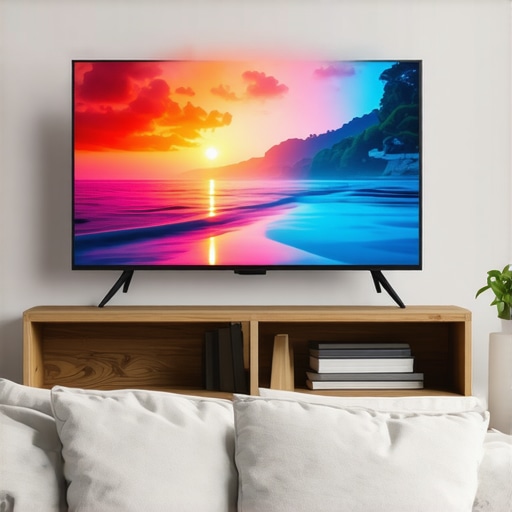
Ever had that moment where you settle into your couch, turn on your TV, and feel like the picture just doesn’t match the hype? Maybe the colors seem dull, the contrast isn’t quite right, or the bright scenes lack that punch you were expecting. I remember the frustration—thinking I was getting a top-tier TV, only to be underwhelmed during my favorite movies and games. It was like watching a blurred, washed-out version of what should have been a cinematic masterpiece.
Why Bright HDR & Contrast Matter More Than Ever
What I didn’t realize back then was how critical good HDR and contrast are for a truly immersive experience. And with the rise of Mini LED technology, the game has changed. These tiny LED lights inside the TV can be controlled individually, delivering incredible brightness and contrast that make images pop with realism and depth. It’s like giving your screen a set of high-powered spotlights—suddenly, everything looks more vibrant, detailed, and true-to-life.
If you’re tired of dull visuals and want your TV to deliver those stunning, cinematic scenes, you’re in the right place. Today, we’re going to explore how Mini LED TVs with Bright HDR & Contrast can transform your viewing experience—no more settling for less. I’ll share what to look for, common pitfalls, and how to optimize your settings for maximum impact. Think of it as setting up your own mini movie theater right in your living room.
Is All the Hype About Mini LED Brightness and Contrast Real?
Early on, I made a mistake that held me back. I bought a Mini LED TV without understanding the importance of proper contrast control and HDR calibration. As a result, I missed out on much of the brilliance these TVs could offer. That’s why I want to stress the importance of fine-tuning your settings and choosing the right model. For a detailed guide on how to get the most out of your Mini LED, check out this resource.
Are you facing similar frustrations with your current TV setup? Don’t worry. We’re about to dive into the practical steps to achieve vivid, stunning visuals that truly do justice to your favorite content. Ready to elevate your TV game? Let’s get started!
Dial in Your TV Settings for Maximum Impact
Start by accessing your TV’s picture settings menu. Locate the HDR and contrast controls—these are your primary tools for enhancing vividness. Use the contrast control guide to understand the nuances of fine-tuning. When I first adjusted mine, I set the contrast too high, causing loss of detail in bright areas. Lowering it slightly improved the balance and brought out more depth.
Set Brightness and HDR for True Pop
Next, tweak the brightness and HDR settings. Brightness determines how luminous the dark scenes appear, while HDR enhances the range of light. Begin with the default settings and increase gradually, checking scenes with high dynamic ranges—like snow-capped mountains or neon-lit cityscapes. I remember bumping up my HDR to the recommended levels, which made the colors explode on screen. For expert tips, visit Mini LED HDR control tips.
Adjust Local Dimming for Depth
Mini LED TVs excel at local dimming—controlling small zones of LEDs to improve contrast. Use your TV’s local dimming settings, often found under advanced picture options. Set it to ‘high’ or ‘max’ if your model allows. This adjustment darkens unlit areas while keeping bright elements vivid, creating a sense of depth. I experimented with this on my set, and the difference was night and day—more realism, less blooming around bright objects.
Calibrate with Content in Mind
Different content requires different settings. For movies, prioritize contrast and color richness. For gaming, focus on response time and brightness. During my first calibration, I used a test pattern and adjusted contrast until whites looked crisp but not washed out. The key is iterative tweaking—make small changes and observe the effect. For a comprehensive calibration process, check HDR brightness and contrast strategies.
Use Content-Specific Presets
Many modern TVs let you save presets for different scenarios. Set a ‘Movie’ mode with enhanced contrast and color for cinematic experiences, or a ‘Game’ mode with optimized response. This way, you don’t have to manually tweak settings each time. I set up a dedicated profile for HDR movies, which now automatically activates with streaming apps, saving me time and ensuring consistent quality.
Keep Firmware and Settings Updated
Manufacturers often release firmware updates that improve HDR and contrast performance. Regularly check your TV’s settings menu or visit your manufacturer’s site. When I updated my TV firmware, I noticed a noticeable improvement in HDR handling and overall picture quality. For model-specific tips, explore Mini LED contrast and brightness control.
Applying these techniques transforms your Mini LED TV into a powerhouse of vivid, cinematic visuals. Remember, fine-tuning is an ongoing process—adjust, observe, and refine. Your content will thank you with richer colors, deeper blacks, and scenes that truly pop.
Many enthusiast and even seasoned viewers believe that boosting HDR brightness and contrast simply involves turning up settings or choosing a model with higher specifications. However, this oversimplification often leads to subpar results and missed opportunities to truly elevate your viewing experience. Let’s dig deeper into what most people get wrong and uncover the hidden nuances that can make a significant difference.
Why More Isn’t Always Better When Adjusting Brightness and Contrast
It’s a common misconception that cranking the contrast and brightness controls to their maximum will produce the most vivid images. In reality, over-adjusting these settings can cause clipping—where details in bright or dark areas are lost—resulting in a less natural, more artificial look. Expert calibration emphasizes subtlety and balance, ensuring that highlights remain detailed without washing out, and shadows retain depth without crushing blacks. For advanced tips on this, explore contrast control fine-tuning.
Another myth is that higher peak brightness in Mini LED TVs automatically guarantees a better cinematic experience. While peak brightness is essential, it’s the local dimming capability and how well it manages light zones that truly determine contrast performance. Many models advertise high peak brightness but lack precise local dimming, leading to blooming—bright halos around objects—which diminishes realism. Understanding and optimizing local dimming features can drastically improve perceived contrast, making scenes more lifelike. You can find strategies to maximize this in contrast and brightness optimization tips.
Beware of the Calibration Trap: Settings That Look Good, But Aren’t
Many users rely on default or factory presets, assuming they’re optimal. That’s a mistake. Factory settings are often tailored for general use and may not suit content with high dynamic range. Proper calibration involves content-specific adjustments, considering ambient lighting, and personal preferences. A common pitfall is neglecting to calibrate for HDR content, which requires different tuning than SDR. Investing time in calibration, even through simple test patterns, can unlock the full potential of your TV’s contrast and brightness. For detailed calibration techniques, visit HDR brightness and contrast strategies.
Advanced Question: How Can I Achieve the Perfect Balance Between Brightness and Black Levels?
This is a nuanced challenge that requires understanding the interplay between peak brightness, local dimming, and panel technology. Achieving this balance involves iterative adjustments: increasing local dimming zones for contrast while ensuring brightness isn’t so high that blacks appear gray. It also involves understanding your content’s nature—movies may require different settings than gaming or sports. Expert calibration and understanding your specific TV’s capabilities are critical. According to a recent study by industry experts, the key is to optimize the local dimming zones to match the scene content, which can be achieved through firmware updates and custom settings. For tips specific to your model, check mini LED HDR contrast control.
In conclusion, mastering the nuances of HDR brightness and contrast on Mini LED TVs is about more than just high numbers or default presets. It’s about understanding the subtle balance, fine-tuning local dimming, and calibrating content-specific settings. This deeper knowledge will ensure every scene is as vivid and realistic as intended. Have you ever fallen into this trap? Let me know in the comments, and remember: the path to perfect picture quality is paved with careful calibration and a keen eye for detail.
Keeping your Mini LED TV in top shape requires more than just initial calibration; regular maintenance and the right tools can dramatically extend its lifespan and ensure consistent performance. As someone who’s spent years fine-tuning home entertainment setups, I’ve developed a set of trusted methods and equipment that I rely on to maintain optimal picture quality over time.
Invest in a Quality Calibration Device
One of the most valuable tools I recommend is a professional-grade calibration device like the X-Rite i1Display Pro. This tool allows you to perform precise color and luminance calibration directly at home, ensuring your TV maintains accurate color reproduction and contrast. I personally use this device every six months, especially after firmware updates or changes in ambient lighting, to keep my display performing at its peak. It provides detailed reports and guides, making calibration accessible even for enthusiasts new to the process.
Regular Firmware Updates Are Non-Negotiable
Manufacturers often release firmware updates that improve HDR handling, local dimming performance, and overall stability. I set a recurring reminder to check for updates via the TV’s settings menu or manufacturer’s website. For instance, updating the firmware on my Mini LED TV enhanced contrast management and reduced blooming artifacts, which I had noticed creeping in over time. Staying current with firmware ensures your TV benefits from ongoing optimizations and bug fixes, keeping it performing like new.
Use Test Patterns and Software for Ongoing Calibration
In addition to hardware tools, I utilize calibration software like CalMAN or HCFR. These programs generate test patterns that help me verify contrast, brightness, and color accuracy periodically. They’re especially useful after long viewing sessions or if I notice any degradation in picture quality. I also recommend using test pattern discs or online tools, which are free and quick to run, to identify issues such as uniformity problems or color shifts that may develop over time.
Protect Your Screen from Damage
Keeping your Mini LED TV free of dust and scratches is fundamental. I use a soft microfiber cloth and avoid harsh chemicals. Installing a UV filter or screen protector can prevent damage from accidental impacts or prolonged exposure to sunlight, which can cause panel degradation. Regularly cleaning the screen with recommended products helps prevent dust buildup that can interfere with local dimming zones and contrast performance.
Plan for Scaling and Upgrades
As technology evolves, so should your setup. I keep an eye on newer models and upgrades that offer improved local dimming or higher peak brightness. When it’s time for an upgrade, I evaluate my current setup’s limitations and consider models that support advanced calibration and firmware features. This proactive approach ensures that your investment remains relevant and capable of delivering stunning visuals for years to come.
How do I maintain {keywords} over time?
The key to sustained performance lies in consistent calibration, timely firmware updates, and protective measures. Regularly measuring your display’s output with tools like the X-Rite i1Display Pro helps catch drift or degradation early. Combining hardware calibration with software tools ensures your contrast and HDR performance stay sharp. Furthermore, safeguarding your screen and planning for future upgrades will keep your viewing experience vivid and immersive, long into the future. By following these practices, you’ll be able to enjoy vivid visuals and optimal contrast for years to come, making every movie night or gaming session a true cinematic experience. Ready to try one of these advanced maintenance tips? Start with a calibration check using your preferred software, and see the difference it makes!
The Hardest Lesson I Learned About Bright HDR & Contrast
Initially, I believed that simply increasing contrast and brightness would make my TV images pop, but I quickly discovered that overdoing these settings caused loss of detail and unnatural visuals. The real breakthrough came when I learned that subtle adjustments and understanding local dimming zones are key to achieving true depth and realism.
3 Myths About Bright HDR & Contrast That Held Me Back
One common myth was that peak brightness alone guarantees stunning visuals. In reality, without precise local dimming, high brightness can lead to blooming and washed-out blacks. Another misconception was that factory presets are optimal; they often require calibration to truly unlock a TV’s potential. Lastly, I used to think that calibrating once was enough, but ongoing fine-tuning is essential for maintaining picture quality over time.
What Experts Won’t Tell You About Mini LED Brightness and Contrast
Many overlook the importance of content-specific calibration. For example, movies benefit from increased contrast and color richness, while gaming demands quick response times and balanced brightness. Experts also emphasize the significance of firmware updates, which can improve local dimming algorithms and overall contrast performance—something I learned the hard way when a firmware update improved my viewing experience dramatically.
Curated Resources for Maximizing Your Mini LED Experience
- HDR Brightness Mastery Guide — A comprehensive resource that helped me understand how to optimize HDR settings for vivid scenes.
- Contrast Control Fine-Tuning Tips — Essential for balancing contrast and preventing detail loss.
- Mini LED HDR Optimization — A great resource I used to calibrate local dimming zones effectively.
- Advanced Calibration Techniques — For content-specific fine-tuning that truly enhances picture quality.
Take Action and Elevate Your Viewing Experience Today
Mastering the art of brightness and contrast on your Mini LED TV is a rewarding journey. With patience, ongoing calibration, and the right tools, you can achieve visuals that rival the cinema. Remember, every scene is an opportunity to fine-tune and discover new depths of realism. Your perfect picture is within reach—start today and transform your living room into a personal theater. What’s the first scene you’ll calibrate for maximum impact? Let me know below!






Leave a Reply