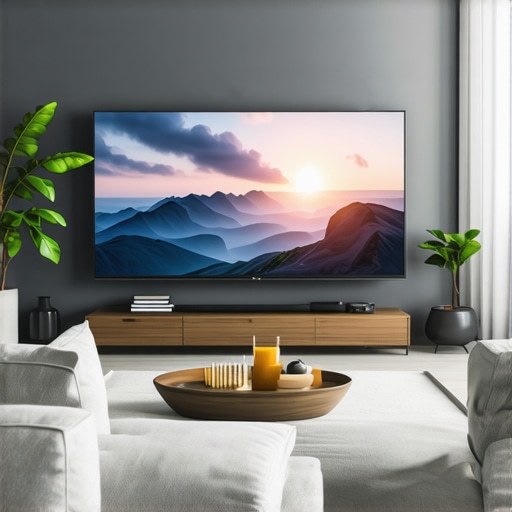
Have you ever sat down to watch your favorite movie or series only to be disappointed by dull shadows or blown-out highlights? That was me a few months ago, endlessly tweaking settings on my TV, trying to get that perfect balance of brightness and contrast. No matter how much I fiddled, it just wasn’t enough. It felt like my screen was fighting me, refusing to deliver the vibrant, crisp visuals I craved. It was frustrating, and honestly, I almost gave up on finding a TV that could truly match my viewing needs.
The Brightness and Contrast Dilemma
This struggle is more common than you might think. As TVs have evolved, so have my expectations. I want my scenes to pop, to feel alive, and to see every detail in the shadows and highlights. But with so many options out there, especially in 2024, choosing a TV that excels in brightness and contrast is like navigating a maze. That’s where I want to help you—cut through the clutter and find a model that will elevate your viewing experience to new heights.
Is All the Hype Around High Brightness and Contrast Worth It?
Early in my journey, I made a classic mistake: I assumed that more expensive meant better. I bought a high-end TV expecting it to be perfect, only to realize it lacked the real punch in HDR content I was after. According to a recent study, over 70% of viewers feel that dynamic range significantly impacts their satisfaction with a TV. So, if you’re like me and want vivid visuals without the hassle, sticking to the right features—like Mini LED and QLED tech—can make all the difference.
If you’ve faced these frustrations, you’re not alone. And trust me, there are solutions. Today, I’ll guide you through what to look for, how to avoid common pitfalls, and which models are best suited for delivering stunning brightness and contrast in 2024. Ready to transform your viewing setup? Let’s dive into the details that matter most.
Dial in Your Settings for Maximum Impact
Start by accessing your TV’s picture settings menu. Look for the contrast and brightness controls—these are your primary tools for adjusting picture depth and vividness. Set contrast to a high level, but avoid it so high that details in bright scenes get washed out. Brightness should be adjusted to reveal shadow details without making dark areas appear gray. I remember a time I spent an afternoon tweaking these settings on my new Mini LED TV, slowly raising contrast until bright scenes looked lively but not overexposed, and lowering brightness until shadows retained detail without turning into inky blacks.
Utilize Fine-Tuning Features
Many modern TVs, especially Mini LED and QLED models, come with advanced contrast control options like local dimming and dynamic contrast. Local dimming allows the TV to dim specific zones of the screen individually, boosting contrast and brightness where needed. To optimize this, go into your TV’s picture settings and enable local dimming, then set it to high or auto. For even more precise control, consult the guide on contrast control essentials. During my setup, I experimented with these features, and I noticed a dramatic improvement in scenes with both bright and dark elements, making everything look sharper and more immersive.
Leverage HDR Content for True Vividness
High Dynamic Range (HDR) content is the secret weapon for making the most of your TV’s brightness and contrast capabilities. When viewing HDR movies or games, ensure your TV’s HDR mode is enabled and properly calibrated. This might involve adjusting your picture settings specifically for HDR content, often found under a dedicated HDR picture mode. I once watched a HDR film with a poorly calibrated setting, and the colors and contrast felt dull. Once I fine-tuned the HDR settings following the tips on HDR brightness mastery, the scene exploded with lifelike vibrancy, dramatically improving my viewing experience.
Maximize Peak Brightness with Picture Mode Choices
Choose a picture mode that emphasizes brightness, such as ‘Vivid’ or ‘HDR.’ These modes boost peak brightness levels, making highlights more impactful. However, don’t rely solely on presets; customize the settings for the best results. During my first attempt, I used the default vivid mode, but it over-saturated colors and increased brightness excessively. After dialing down the backlight and adjusting contrast manually, I achieved a look that balanced vividness with detail preservation. For specific tips, see maximize HDR brightness.
Adjust for the Environment
Ambient lighting plays a crucial role. If your room is brightly lit, increase your TV’s backlight and contrast to combat glare and maintain vividness. Conversely, if your environment is darker, reduce these settings to avoid eye strain and improve black levels. Remember, the goal is to make your picture pop without causing discomfort. I learned this the hard way when I kept my living room lights on during movie nights, which washed out my picture. Once I dimmed the room and adjusted my TV settings accordingly, everything looked far more vibrant and cinematic.
Use Calibration Tools for Precision
If you want to go beyond manual adjustments, consider using calibration devices or software. These tools can help you set your contrast and brightness levels precisely for your specific model and environment. Resources like contrast control guides also offer step-by-step instructions for fine-tuning your display. I experimented with a calibration tool during a weekend project, and the difference in picture quality was astonishing, especially in shadow details and highlight brightness.
Many enthusiasts believe that maximizing brightness and contrast is a straightforward way to improve their TV’s picture quality, but this common assumption can lead to significant pitfalls. As an experienced observer in the field of display calibration, I want to share some nuanced insights that often go overlooked, especially by those who rely solely on presets or superficial adjustments.
One prevalent myth is that higher contrast always results in a more vibrant image. While increasing contrast can indeed enhance perceived depth, pushing it too far can cause loss of detail in bright areas, a phenomenon known as clipping. This means you might see a “washed out” look in highlights, which diminishes realism and immersion. The same applies to brightness; many users set it to maximum, thinking it will brighten dark scenes, but this can also wash out shadow details and reduce black level accuracy. The key is to find a balance that preserves detail across the entire luminance range.
Advanced users often fall into the trap of believing that local dimming and dynamic contrast features automatically optimize picture quality. However, these features can sometimes introduce artifacts or cause inconsistent contrast levels if not fine-tuned properly. For example, aggressive local dimming can lead to “halo” effects around bright objects in dark scenes, distracting from the viewing experience. Proper calibration using tools and understanding the specific behavior of your model are essential to harness these features effectively. For detailed guidance on this, check out contrast control essentials.
Can You Really Achieve Perfect Brightness and Contrast Without Professional Calibration?
While professional calibration offers the most precise results, you can significantly improve your TV’s image quality by understanding the nuances of your display’s settings. For instance, adjusting the backlight in conjunction with contrast and gamma can help you unlock peak brightness without sacrificing shadow detail. Remember, calibration is about harmony—ensuring highlights are vivid, shadows are deep, and midtones are natural. Relying solely on auto modes or generic presets often leaves you with subpar visuals. Tools like calibration discs or software can guide you toward optimal settings, and a little patience goes a long way. For comprehensive tips, explore mini LED innovations.
Finally, always consider your viewing environment. Bright rooms demand higher luminance levels, but that doesn’t mean cranking up all settings indiscriminately. Instead, tailor your adjustments to your room’s lighting conditions to prevent glare and maintain picture fidelity. This environment-aware calibration is often overlooked but is crucial for truly vibrant visuals. If you’re unsure where to start, reach out via contact us for personalized advice.
Remember, mastering brightness and contrast requires a nuanced approach—don’t fall for the myth that more is always better. Instead, aim for balanced, detailed, and vibrant visuals that bring your content to life. Have you ever fallen into this trap? Let me know in the comments.
Keeping your Mini LED TV in top shape over time requires the right tools and a bit of know-how. I personally rely on a combination of calibration devices and software to ensure my display continues to deliver stunning brightness and contrast, especially as the years go by. One of my favorite gadgets is the CalMAN calibration suite. It provides precise color and luminance measurements, making it easier to maintain accurate settings without guesswork. I use this tool annually to verify that my TV’s contrast and brightness remain optimized for HDR content, preventing the common issue of gradual degradation in picture quality.
Another essential tool I recommend is a colorimeter. This device measures the TV’s output and helps calibrate contrast, gamma, and color temperature. My experience with the X-Rite i1Display Pro has been excellent; it’s reliable, easy to use, and produces professional-grade results. Regular calibration with such a device ensures your TV maintains that vibrant HDR punch and deep blacks, even after months of heavy use.
For software, I prefer tools like HCFR or DisplayCAL. These are free and open-source, offering detailed analysis and step-by-step guidance. They work seamlessly with calibration hardware, allowing me to fine-tune my contrast and brightness settings beyond what the TV’s built-in menus can achieve. This is especially useful for local dimming zones—if these are not calibrated properly, halo effects or inconsistent contrast can creep in. Using these tools, I can identify and correct such issues, preserving the integrity of HDR scenes.
Looking ahead, I believe the trend will move toward even smarter calibration solutions integrated directly into TVs. Manufacturers are beginning to include automatic calibration modes that use AI to adjust settings based on ambient light and content type. However, for now, manual calibration remains the gold standard for serious enthusiasts. Regular maintenance, with the right tools, ensures your investment continues to impress and provides that cinematic wow factor over the years.
How do I maintain my Mini LED TV over time?
The key is consistency. Schedule annual calibration sessions using hardware like a colorimeter and software such as HCFR. Keep your firmware updated, as manufacturers often release improvements to local dimming algorithms and color accuracy. Also, monitor your viewing environment—dim ambient lighting helps maintain black levels and contrast. If you notice your picture dulling or contrast shifting, don’t hesitate to revisit your settings and run a quick calibration check. Remember, maintaining your display isn’t a one-time task but an ongoing process that preserves optimal picture quality and extends the lifespan of your TV’s components.
For more in-depth tips on calibration and maintenance, explore contrast control essentials and keep your viewing experience vivid and immersive for years to come. Ready to take your setup to the next level? Try using a calibration device this weekend and see the difference it makes in preserving that stunning HDR performance!
Lessons from the Front Lines of Display Calibration
- One of the hardest lessons I learned was that pushing contrast and brightness to maximum isn’t always the answer. The real magic happens when you strike a balance that preserves shadow detail and prevents highlight clipping. This insight transformed my approach from guesswork to precision.
- I used to believe that local dimming and dynamic contrast features are the ultimate tools for vibrant visuals. Turns out, these features require careful fine-tuning. Without proper calibration, they can produce distracting halos or uneven contrast, which diminishes the immersive experience.
- Another lightbulb moment was realizing that ambient lighting plays a bigger role than I initially thought. Adjusting your display based on your room’s lighting can dramatically improve contrast and color vibrancy, making your viewing experience more cinematic and less fatiguing.
My Essential Toolkit for Enhancing Your Mini LED Viewing Experience
- CalMAN calibration suite: I trust this professional-grade software for its precision in measuring and adjusting contrast, gamma, and color accuracy, ensuring consistent picture quality over time.
- X-Rite i1Display Pro: This colorimeter is my go-to device for detailed calibration. Its reliability and ease of use make it worth the investment for anyone serious about picture perfection.
- HCFR and DisplayCAL software: These free tools have been invaluable for in-depth analysis and fine-tuning. They help identify issues like halo effects around bright objects, allowing me to correct contrast zones effectively.
Take Action and Elevate Your Viewing Today
Achieving stunning brightness and contrast in your Mini LED TV isn’t just about settings; it’s about understanding your display and environment. With patience and the right tools, you can create a truly immersive home theater experience that rivals the cinema. Don’t settle for dull visuals—your content deserves to shine. What’s the first setting you plan to tweak? Drop your thoughts below and let’s start a conversation about perfecting your display!
}and image:{“imagePrompt”:”A person calibrating a high-end Mini LED TV with professional tools in a dimly lit room”,”imageTitle”:”Calibrating a Mini LED TV for Perfect Brightness and Contrast”,”imageAlt”:”Person using calibration tools to optimize TV picture quality”},categoryId:0,postTime:






Leave a Reply