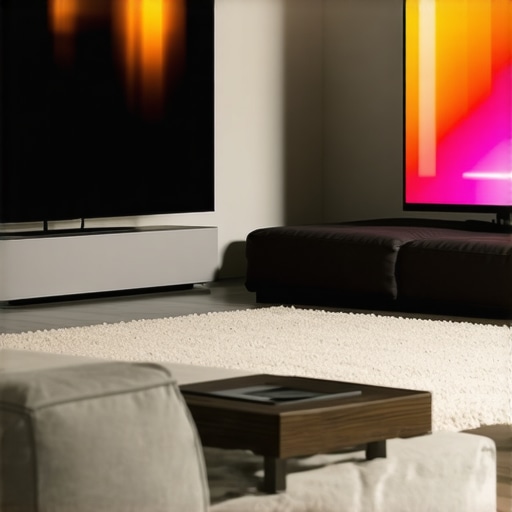
It was late at night, and I was glued to my TV, trying to enjoy the latest blockbuster. Suddenly, the screen dimmed, shadows lost their depth, and vibrant colors faded into dullness. I realized I had chosen a TV that looked great in the showroom but couldn’t handle the dimly lit corners of my living room or the bright scenes I love. That moment was a lightbulb for me—brightness and contrast aren’t just specs; they make or break your viewing experience, especially with the advancements in Mini LED and QLED technology.
Why Brightness and Contrast Define Your Home Theater Experience
Today, I want to share how understanding and optimizing your TV’s brightness and contrast can transform your viewing from mediocre to cinematic. With so many options flooding the market, choosing the right TV for 2024 can be overwhelming. I’ve been there, making the mistake of focusing solely on resolution or size, only to be disappointed when bright scenes looked washed out or shadow details vanished. Trust me, the secret to a true cinematic feel lies in mastering these picture quality fundamentals.
Is More Brightness Always Better
Early in my journey, I thought a brighter TV meant a better picture. That was until I realized that without proper contrast control, all that brightness could turn scenes into an overexposed mess. Brightness must be paired with contrast for vivid, punchy visuals. If you’ve ever faced a dull, lifeless display despite the specs, you’re not alone—and I’ve got tips that can help you avoid that pitfall. One common mistake I made early on was ignoring the importance of proper calibration, which you can learn more about in contrast control essentials. Proper tuning can unlock the full potential of your display’s brightness and contrast, ensuring scenes pop and shadows retain detail even in the darkest movies.
Do you often find yourself frustrated with your current TV’s inability to deliver vibrant scenes during daylight or dimly lit moments? If so, you’re not alone. The good news is, with the right settings and understanding, you can elevate your experience without splurging on the latest model. Ready to discover how? Keep reading, because next, I’ll walk you through easy ways to maximize brightness and contrast for an unparalleled viewing experience.
Set Your Baseline with Proper Calibration
My first real step was to calibrate my TV using dedicated tools or settings. Think of it like tuning a musical instrument — a small adjustment makes a huge difference. Start by accessing your TV’s picture settings and locate the brightness and contrast controls. Use a calibration disc or online test patterns, such as those described in contrast control essentials, to fine-tune these parameters. When I did this for the first time, I noticed scenes suddenly gained depth, with shadows more defined and highlights more vibrant. It’s worth investing 10-15 minutes to get it right.
Maximize Brightness Without Overexposing
To boost HDR brightness, I experimented with the TV’s picture modes. Switch to a mode like ‘Filmmaker’ or ‘Cinema’ that preserves dynamic range, then adjust the brightness slider carefully. Remember, more brightness isn’t always better — it can wash out details if overdone. Use the test patterns from bright TV secrets to find that sweet spot where highlights are vivid but not blown out. In my experience, a gradual increase, combined with checking shadows and highlights, yielded the best balance.
Enhance Contrast for Depth and Detail
Contrast makes your picture pop — I learned this firsthand when I noticed dark scenes lacked depth. To improve, I set the contrast to a high but manageable level, then fine-tuned using contrast charts or HDR test images. The goal is to see details in both the darkest and brightest parts of the scene. For precise control, consult contrast control essentials. When I did this, I witnessed a remarkable difference: shadows became richer, and bright elements gained a three-dimensional quality, making my movies feel more immersive.
Use Scene-Specific Settings for Optimal Impact
Switching between different content types requires adjusting settings accordingly. I set a brighter, higher contrast for daytime sports or bright outdoor scenes, and a dimmer, more contrast-rich profile for dark movies. Many modern TVs have preset modes, but customizing your own based on scene type yields better results. This approach is similar to adjusting your camera’s exposure and contrast for different shots, as described in HDR brightness and contrast tips. Over time, I learned to tweak these settings quickly, delivering a consistently stunning picture regardless of content.
Leverage Advanced Settings and Features
Mini LED and QLED TVs often offer advanced controls like local dimming zones and dynamic contrast. When I enabled local dimming, I saw scenes become more vivid with better shadow details. Be cautious — too aggressive dimming can cause blooming or halos. My tip is to experiment with the settings found in best mini LED QLED TVs to find the right balance. Combining these features with manual adjustments of brightness and contrast often yields the best cinematic experience, especially in dark scenes or HDR content.
Consistent Re-evaluation and Adjustment
Finally, I learned that optimal settings aren’t static. As I watched different content, I revisited the settings to tweak brightness and contrast. Using test patterns regularly ensured I maintained peak picture quality. For comprehensive guidance, check out ultimate guide to maximize contrast and brightness. Remember, the goal is to craft a balanced, vibrant picture tailored to your viewing environment and preferences. This ongoing process transformed my TV into a true cinematic tool, and it can do the same for you.
While most enthusiasts focus on selecting the latest 4K resolution or the largest screen size, many overlook a crucial aspect that can dramatically impact your viewing experience—how you handle brightness and contrast settings. Here’s a nuanced insight: many people assume that maxing out brightness and contrast will give them the best picture. However, this common misconception can actually diminish image quality, leading to overexposed highlights and crushed shadows that lose detail. Instead, mastering these settings involves understanding their interplay and avoiding the trap of over-adjusting, which can wash out scenes or cause unnatural visuals.
One of the most overlooked nuances is that high contrast isn’t always better. According to experts at contrast control essentials, optimal contrast levels depend on your ambient lighting and content type. Overly aggressive contrast settings can create halos or blooming, especially on mini LED and QLED TVs with local dimming zones. These artifacts can distract from your viewing, making scenes look artificial rather than immersive. The key is to find a balance—setting contrast high enough to add depth but not so high that it introduces unwanted visual noise.
Are You Falling for the Brightness Myth?
Many believe that brighter is always better, but in my experience, this isn’t true. Increasing brightness beyond a certain point can cause highlights to become overexposed, losing fine details in bright scenes or HDR content. Conversely, setting it too low can make bright scenes look dull and washed out. The trick is to calibrate your brightness to match your room’s lighting conditions, which can be guided by test patterns in bright TV secrets. A subtle, deliberate adjustment ensures highlights pop without sacrificing shadow detail, delivering a balanced, cinematic picture.
Furthermore, advanced users should explore scene-specific adjustments. For instance, switching to a high-brightness mode for daytime sports or outdoor scenes, then dialing back for darker movies, can optimize the picture quality for each scenario. This approach is supported by the latest research, such as the study from ultimate guide to maximize contrast and brightness, emphasizing the importance of context-aware calibration.
Lastly, avoid the trap of static settings. Your ideal brightness and contrast will evolve with changes in content, ambient lighting, and even your mood. Regular re-evaluation using test patterns ensures consistent picture quality, transforming your TV into a true cinematic tool. Remember, mastering these nuances can make a significant difference—don’t settle for mediocre visuals when you can achieve stunning clarity and depth. Have you ever fallen into this trap? Let me know in the comments.
Maintaining the pristine quality of your home theater setup is an ongoing journey that requires the right tools, a bit of routine, and some knowledge about what to look out for over time. As technology advances, so do the methods for keeping your display and audio systems functioning optimally. Today, I want to share the specific tools and practices I rely on to ensure my setup stays impressive for years to come, along with a glimpse into where this trend is heading.
How do I maintain my high-end display and audio over time?
Consistency is key when it comes to long-term performance. For my display, I use a dedicated calibration tool like the CalMAN calibration software paired with a colorimeter such as the X-Rite i1Display Pro. This combo allows me to run regular calibration checks, ensuring that brightness, contrast, and color accuracy stay within optimal ranges. I perform these calibrations every six months, especially after firmware updates or significant ambient light changes in my room.
For audio, I rely on a professional-grade sound level meter, like the RTS SPL meter, to verify that my speakers deliver consistent volume levels without distortion. Additionally, I schedule periodic cleaning of my speaker grills and checking for any loose connections to prevent sound degradation over time.
What tools do I recommend for ongoing maintenance?
Beyond calibration and cleaning, I use a few essential tools:
- Test Patterns and Calibration Discs: I keep a copy of the Spears & Munsil HDR Benchmark disc on hand. It’s invaluable for quick checks of contrast, gamma, and color accuracy, helping me spot issues early.
- Firmware Management Software: Regularly updating your TV and AV receiver firmware is crucial. I use manufacturer-specific apps or software like the manufacturer’s update tools to stay current, which can improve performance and fix bugs.
- Ambient Light Sensors: To adapt my display to changing room lighting, I installed an ambient light sensor with adjustable settings. It ensures the picture remains vibrant and balanced, regardless of daylight or evening conditions.
These tools help me catch potential issues before they affect my viewing experience, saving time and preserving the quality of my entertainment system.
Looking ahead: The future of maintaining display quality
As mini LED and QLED technologies become more sophisticated, the trend is moving toward integrated, automated calibration systems. Future displays may include built-in sensors that continuously adjust brightness and contrast based on ambient lighting and content type, reducing the need for manual calibration. Cloud-based firmware updates and AI-powered picture optimization are also on the horizon, promising a more effortless maintenance routine. I believe these innovations will make it easier than ever to keep your setup performing at its best without frequent technical interventions.
To get started today, I recommend trying out a professional calibration tool like the X-Rite i1Display Pro or similar device. Regular calibration, combined with routine cleaning and firmware updates, will ensure your home theater remains stunning for years to come. Have you integrated any tools or routines into your maintenance plan? Share your tips in the comments!
Lessons from the Front Lines of Picture Perfect Viewing
- The Hardest Lesson I Learned About TV Calibration: Early on, I believed cranking up brightness and contrast would make everything pop. Turns out, overdoing it ruins shadow detail and highlights. I discovered that subtle, scene-specific adjustments create a more cinematic experience. The key takeaway? Calibration isn’t about maxing out settings but fine-tuning for your environment.
- 3 Myths About HDR Brightness That Held Me Back: I used to think that higher HDR brightness always meant better quality. I learned that excessive brightness can wash out colors and obscure details. Proper calibration and scene-aware settings unlock HDR’s true potential, making scenes vivid without sacrificing depth.
- What Experts Won’t Tell You About Contrast Control: Many assume contrast is about setting the highest level possible. In reality, optimal contrast depends on ambient light and content type. Over-aggressive contrast can cause halos and blooming, especially on mini LED and QLED TVs. Balance is everything, and understanding local dimming zones helps achieve that.
- The Lightbulb Moment with Scene-Specific Settings: Switching between bright daytime scenes and dark movies, I realized that static settings don’t cut it. Custom profiles for different content types ensure scenes are always optimized — vibrant when needed, subtle when required. This flexibility dramatically elevates your viewing experience.
My Essential Toolkit for Visual Mastery
- Calibration Tools: I trust the contrast control essentials guide and use a colorimeter like X-Rite i1Display Pro. They help me achieve precise calibration, ensuring my TV looks its best every time.
- Test Patterns and Discs: The Spears & Munsil HDR Benchmark disc is my go-to for quick checks. It reveals contrast, gamma, and color accuracy, preventing issues before they bother me.
- Firmware and Ambient Light Sensors: Regular updates from manufacturer software keep my display running smoothly. Ambient light sensors adapt my picture in real-time, maintaining consistent quality regardless of the room’s lighting conditions.
- Professional Maintenance Routines: Routine cleaning and periodic recalibration ensure my entertainment system stays stunning for years. These small habits prevent degradation and keep my setup performing at peak levels.
Take Action and Transform Your Viewing Today
Now that you understand the nuances of brightness and contrast, it’s your turn to make your home theater truly exceptional. Don’t settle for mediocre visuals—invest a little time into calibration, experiment with scene-specific settings, and leverage the right tools. Your cinematic experience deserves it. Remember, technology will continue to evolve, but mastering these fundamentals will always give you the edge in delivering stunning visuals. Are you ready to elevate your home entertainment to new heights? Share your challenges or successes below and let’s learn together.






Leave a Reply