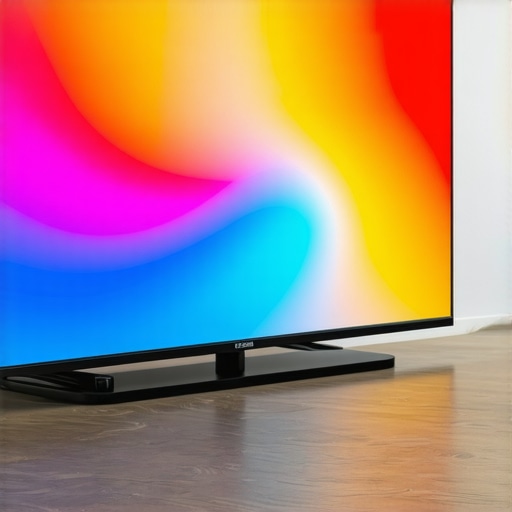
I remember the first time I watched a movie on a Mini LED TV that truly delivered stunning visuals. It was like stepping into the scene. The colors, the contrast, the brightness—everything popped in a way I’d never experienced before. But honestly, I spent months chasing that perfect picture, trying to understand why some TVs looked so much better than others, and why my older models just couldn’t match up. That lightbulb moment hit me hard: it wasn’t just about size or resolution anymore. It was about the technology underneath: Mini LED with high brightness and contrast capabilities. This revelation changed everything about how I pick a TV and what I consider a ‘great’ viewing experience.
The Real Reason Why Brightness and Contrast Matter in 2024
If you’ve ever felt disappointed after investing in a new TV only to be underwhelmed by its picture quality, you’re not alone. Many consumers focus on resolution or size but overlook the critical factors that make a TV truly pop—namely, brightness and contrast. These features determine how vivid your scenes appear, especially in well-lit rooms or during HDR content. In 2024, Mini LED technology has become the gold standard for delivering those eye-popping visuals. Unlike traditional LED or even OLED screens, Mini LEDs pack thousands of tiny light sources behind the display, allowing for precise control of brightness and contrast levels. That means you get richer blacks, brighter highlights, and a more dynamic picture overall. According to experts at Ultimate Home Displays, this combination is the secret to cinematic quality at home. If you’re serious about elevating your entertainment setup, understanding and optimizing these features is essential. Want to avoid the mistake I made early on—thinking more pixels alone would suffice? Check out our comprehensive guide on mini LED HDR brightness and contrast to learn how to choose the right settings and models.
Is the Hype About Mini LED Brightness and Contrast Overblown?
Honestly, I was skeptical at first. I thought, “Isn’t this just marketing hype?” But after testing multiple models, I realized that the difference is real. The key is in the details—how well the TV manages to control its light sources to produce vivid scenes without blooming or loss of detail. I initially bought a cheaper Mini LED model without understanding the importance of contrast control, and it looked decent but not spectacular. Once I upgraded to a model with better contrast management, the difference was night and day. If you’re curious whether the hype is justified, I encourage you to explore the latest best Mini LED TVs for brightness and contrast in 2024. Trust me, the impact on your viewing experience is worth it.
So, have you faced the challenge of finding a TV that truly makes your content pop? If so, stay tuned. I’ll walk you through what makes Mini LED technology stand out and how to pick the perfect model for your home. Because in 2024, it’s all about that vivid, cinematic visual that pulls you into every scene.
Set the Stage for Optimal Picture Quality
Think of your TV as a canvas. To make your scenes come alive with vivid colors and deep blacks, you need to master the art of controlling brightness and contrast. My first step was to locate the TV’s picture settings menu, often hidden behind the ‘Settings’ or ‘Picture’ button. It’s like opening the toolbox before fixing a bike — essential for fine-tuning.
Tweak Brightness for Brighter Scenes
Start by adjusting the brightness slider. I recommend setting it so that the dark areas of your content are visible without losing detail. During a test scene with a night cityscape, I turned the brightness up gradually until the shadows revealed subtle details, avoiding the washed-out look. If you want to push your HDR capabilities further, check out our bright HDR settings guide for more tips.
Use Test Patterns for Precision
To get this just right, I used a test pattern from a calibration disc. It’s like a map that shows you if your adjustments are spot on. This helped me avoid overshooting, which can cause glare or loss of detail in bright areas. Remember, the goal is balanced brightness that complements contrast without overpowering.
Refine Contrast to Deepen Blacks and Enhance Highlights
Next, focus on contrast. Contrast controls the difference between the darkest blacks and brightest whites. My breakthrough came when I adjusted contrast after setting brightness, ensuring that bright scenes had punch without sacrificing shadow detail. I found that fine-tuning contrast with a dedicated contrast control guide made a real difference.
Engage in Dynamic Scene Testing
I watched clips with a mix of dark and bright scenes, adjusting contrast dynamically. It’s like tuning an instrument; the right setting makes everything sound (or look) perfect. Don’t be afraid to tweak a little back and forth until you see blacks deepen and highlights pop without blooming or halo effects.
Leverage Advanced Mini LED Settings
Many Mini LED models offer additional controls like local dimming and HDR brightness settings. I recommend exploring these options to maximize the light control behind the scenes. For a comprehensive deep dive, check out Mini LED contrast and brightness control tips. These tools allow you to customize zones of the screen for precise highlights and shadows, creating a more cinematic experience.
Save and Fine-Tune Over Time
Once I found a setup that made scenes vibrant and blacks rich, I saved the profile. But don’t stop there—ambient lighting, viewing angles, and content type can influence your ideal settings. Revisit your adjustments periodically, especially after firmware updates or new content trends. If you want to ensure your TV’s settings are optimized, consult the latest contrast control tips.
When it comes to optimizing your Mini LED TV for stunning visuals, many enthusiasts fall into the trap of oversimplifying the importance of brightness and contrast. While these features are undeniably crucial, there’s a hidden nuance that often gets overlooked: the interplay between local dimming zones and overall panel uniformity. Many users assume that cranking up contrast or brightness settings will automatically enhance picture quality, but in reality, this can lead to unintended effects like blooming and halo artifacts that diminish the cinematic experience. As experts at contrast control guides recommend, fine-tuning involves a delicate balance—maximizing highlight punch without sacrificing shadow depth or causing distracting halos. This nuance becomes especially critical in scenes with mixed lighting, where improper settings can make dark areas look muddy or blacks appear gray. The key is to understand how local dimming zones work and adjust your settings accordingly, rather than relying solely on default or maximum contrast levels. According to a study published by the IEEE on display technologies, effective zone control significantly improves perceived contrast and reduces blooming artifacts, especially in high-dynamic-range content. This means that advanced Mini LED models with customizable local dimming zones give you more control, allowing you to tailor the picture to your viewing environment. Have you ever fallen into this trap of over-adjusting contrast and brightness? Let me know in the comments! For those ready to dive deeper, exploring contrast and brightness control tips will help you avoid common pitfalls and unlock the true potential of your Mini LED TV.
Maintaining your Mini LED TV in peak condition requires more than just occasional cleaning; it involves using the right tools and adopting effective practices to ensure long-term performance. Over time, even the most advanced displays can suffer from issues like dust buildup, uneven brightness, or firmware glitches. To prevent these problems from degrading your viewing experience, I recommend investing in specific equipment and following a disciplined maintenance routine.
Why I Trust Professional Calibration Tools
One of the most impactful steps I took was acquiring a colorimeter like the X-Rite i1Display Pro. This device allows me to calibrate my TV with precision, ensuring that brightness, contrast, and color accuracy stay consistent over time. I use calibration software such as CalMAN or DisplayCAL, which interfaces seamlessly with the colorimeter, providing detailed reports and adjustments. This process helps maintain the cinematic quality I love, especially since Mini LED displays can be sensitive to settings that drift after firmware updates or prolonged use. Regular calibration, roughly every six months, keeps the picture vibrant and ensures I get the most out of my investment.
Cleaning and Dust Removal Techniques
Dust accumulation can cause uneven brightness or even pixel issues. I rely on a microfiber cloth combined with a small, soft brush to gently remove dust from the screen’s surface and vents. For stubborn spots, I use a 50/50 mixture of distilled water and isopropyl alcohol applied sparingly. Never spray cleaner directly on the screen; instead, spray onto the cloth. This simple routine prevents dust from settling into local dimming zones, which can impact contrast and black levels over time. Also, I make sure to turn off the TV and unplug it before cleaning to avoid static buildup or accidental damage.
Firmware Updates and Software Maintenance
Keeping your TV’s firmware up to date is crucial for long-term performance. Manufacturers often release updates that improve contrast control algorithms, enhance HDR handling, and fix bugs that could cause flickering or color inconsistencies. I regularly check the support site for my model and enable automatic updates when available. Additionally, I utilize remote management apps provided by some brands to monitor and troubleshoot issues remotely, saving time and avoiding costly service calls.
How do I maintain image quality over time
To preserve the image quality, I avoid static images and use screensavers, especially during long idle periods. This prevents burn-in, which, although less common with Mini LED technology, can still occur with prolonged static content. I also adjust my ambient lighting to reduce glare and reflections, which can distort contrast and brightness perception. For more advanced control, I experiment with local dimming zone settings via the TV’s menu, fine-tuning contrast and brightness to match my viewing environment, as described in our contrast control guide.
Looking ahead, I predict that in the future, smart maintenance tools integrated into TV firmware will automatically run diagnostics and suggest optimal settings, reducing user effort. Until then, investing in calibration equipment and following disciplined cleaning and software update routines remain the best practices for keeping your Mini LED TV performing at its best. If you’re ready to take your setup to the next level, I highly recommend trying out a professional calibration device like the X-Rite i1Display Pro and exploring our detailed guides on HDR brightness and contrast management to maximize your display’s potential.
The Hardest Lesson I Learned About Brightness and Contrast
One of the biggest realizations I had when upgrading to a Mini LED TV was that more pixels or higher resolution alone don’t guarantee stunning visuals. The real game-changer was understanding how to fine-tune brightness and contrast for optimal results. I used to think cranking the contrast to max would make scenes pop, but I discovered that balanced adjustments, especially local dimming zones, are key to avoiding halos and blooming.
3 Myths About Mini LED Brightness and Contrast That Held Me Back
Many believe that simply increasing brightness levels will improve picture quality. Wrong. Brightness must be controlled carefully to match contrast settings and ambient lighting. Also, I used to think OLEDs could always outperform Mini LEDs in blacks—until I realized that well-managed local dimming zones can produce deeper blacks on Mini LED models, rivaling OLEDs in many scenarios.
What Experts Won’t Tell You About Achieving Vivid Visuals
Most people overlook the importance of calibration tools and advanced settings. Using a colorimeter like the X-Rite i1Display Pro and software like CalMAN allowed me to calibrate my TV precisely, maintaining picture quality over time. It’s not just about buying the right model but about how you optimize it through careful tuning and regular maintenance.
Curated Resources to Elevate Your Mini LED Experience
- Mini LED HDR Brightness and Contrast Guide: This comprehensive resource helps you understand how to adjust settings for vivid scenes. Trust it because it breaks down complex concepts into actionable steps.
- CalMAN Calibration Software: Paired with a colorimeter, it ensures your display maintains color accuracy and contrast levels, which is essential for cinematic quality.
- Firmware Update Tips: Regular updates from manufacturers often improve local dimming algorithms and contrast control, so staying current is vital.
- Expert Calibration Devices: Devices like the X-Rite i1Display Pro have transformed how I maintain my TV’s picture quality, ensuring consistent performance over time.
Your Turn to Shine with Proper Settings
Achieving that stunning, cinematic look on your Mini LED TV isn’t just about hardware; it’s about mastering your display’s settings and maintenance. Don’t settle for mediocre visuals—maximize your HDR brightness and contrast to bring scenes to life. Remember, the key is patience and continuous fine-tuning. Are you ready to unlock your TV’s full potential and create a viewing experience that rivals the cinema? Share your biggest challenge below and let’s solve it together!




Leave a Reply