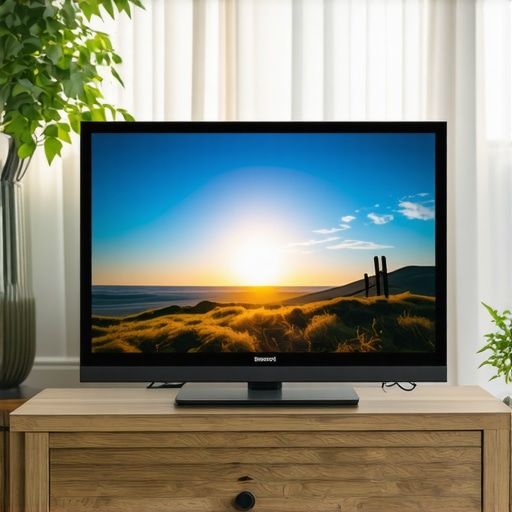
I’ll never forget the moment I watched a blockbuster on my new Mini LED TV and felt like the scene was missing something—like the colors were dull, and the shadows lacked depth. After hours of fiddling with settings, I finally cracked the code for vibrant visuals, and it was a game-changer. If you’ve ever experienced a similar frustration, you’re not alone. The good news? You can achieve stunning picture quality by mastering the right brightness and contrast controls, and I’ll show you exactly how.
Why Brightness and Contrast Matter More Than You Think
When I first got my Mini LED TV, I assumed that just turning up the brightness would make everything pop. Spoiler alert: that’s not how it works. Properly calibrated brightness and contrast are the foundation of vivid, lifelike images. Think of it like a painter blending colors—without the right balance, the picture looks flat or overly harsh. Achieving that cinematic quality requires a nuanced approach, especially with advanced displays like Mini LEDs, which offer incredible luminance and contrast potential.
Studies show that optimal HDR brightness can significantly enhance viewing experience, making details in shadows and highlights more pronounced (source: HDR Brightness Mastery). However, many users fall into the trap of just maxing out settings without understanding how to fine-tune them. That was my mistake early on—set everything to maximum and wondered why it looked unnatural. Trust me, a little knowledge goes a long way.
Have You Faced This Problem?
If you’ve ever felt your TV’s picture is dull, overly bright in some areas, or just not as vibrant as promised, then this guide is for you. I’ll walk you through practical steps to improve your settings and get the most out of your Mini LED display. Ready to make your TV look like a movie theater? Let’s dive into the secrets of brightness and contrast control that can elevate your viewing experience to stunning new heights.
Dialing in Your Settings for Peak Visual Impact
Start with your TV’s picture mode, set it to ‘Movie’ or ‘Cinema’ — these modes are typically calibrated closer to professional standards. Then, access your advanced picture settings menu. Look for brightness and contrast controls, which are often labeled simply as such, or sometimes as ‘Backlight’ and ‘OLED Light’ on certain models.
Set the backlight or brightness to a comfortable level, avoiding extremes. Imagine adjusting a dimmer switch on a lamp — your goal is to find a level that provides luminous images without washing out details. For contrast, increase it gradually until bright areas pop without losing shadow detail. Think of contrast like a volume knob; too high, and shadows become harsh; too low, and everything looks dull.
Fine-Tuning with Real Scenes
Once initial adjustments are made, test with real content. Play a scene with both bright sunlight and deep shadows. Adjust contrast slightly higher if shadows look flat, or lower if highlights bleed into surrounding areas. I recall spending an evening tweaking settings during a movie, slowly increasing contrast until I saw the depth in the shadows, making the scene come alive.
Using HDR Settings to Elevate Brightness
HDR content relies heavily on your TV’s peak brightness. For Mini LED TVs, enabling HDR mode is essential. Access your TV’s HDR settings or picture presets and select the one optimized for HDR viewing. For example, some models offer a ‘Vivid’ or ‘HDR’ preset that maximizes luminance and contrast.
To improve HDR brightness, consider manually adjusting the HDR-specific controls—these might include peak brightness or local dimming settings. Remember, Mini LED technology excels here, offering high luminance levels that bring out details in bright scenes. For guidance, check out the bright TV secrets page.
Understanding Contrast Control for Depth
Contrast isn’t just a single slider; it involves managing local dimming zones and overall contrast ratios. Many Mini LED models allow you to access contrast control as a dedicated feature. Think of contrast as the difference between the brightest whites and darkest blacks; the wider the gap, the more three-dimensional your picture appears.
Adjust contrast while watching a scene with a dark background and bright highlights. Increase contrast until the bright areas look vibrant but don’t cause blooming or halo effects. If you notice halos around bright objects, dial back slightly. This balance is crucial for vivid, lifelike images.
Leveraging Professional Calibration Tools
If you want to go beyond basic adjustments, consider using a calibration tool like a colorimeter. These devices measure your TV’s luminance and color output, allowing you to fine-tune brightness and contrast precisely. Many professional calibration guides recommend starting with the TV’s default settings, then making incremental tweaks based on measurements.
For a practical starting point, check out the contrast control essentials guide. Remember, calibration isn’t a one-time process; revisit your settings periodically, especially after firmware updates or new content sources.
Most enthusiasts and even seasoned viewers fall into the trap of oversimplifying their TV calibration, especially with advanced displays like Mini LED and QLED models. Everyone tends to say, “Just turn up the brightness and contrast,” but in reality, this approach misses the fine details that can make or break your picture quality. Let’s dig deeper into what most people get wrong about these settings and how mastering nuanced calibration can elevate your viewing experience.
Why setting everything to maximum is a mistake you shouldn’t make
A common myth is that higher brightness and contrast always lead to better images. In practice, cranking these controls to the max often results in loss of detail, blooming, or halo effects, especially in HDR content. Mini LED TVs, with their local dimming zones, require a more delicate touch. Overdriving contrast can cause blooming around bright objects against dark backgrounds, reducing perceived image quality. The key is to find a balance—adjust contrast until bright highlights are vibrant but shadows still retain detail. This subtlety is what separates an average picture from a cinematic masterpiece.
Beware the HDR brightness trap
Many users believe that maxing out HDR brightness is the way to go, but this can cause issues like clipping, where bright scenes lose detail, or uneven luminance. Instead, aim for the peak brightness your TV can sustain without sacrificing shadow depth or introducing halos. This is especially crucial with Mini LED TVs, which excel at local dimming and high luminance levels. Properly calibrated HDR settings, backed by professional tools or guidelines from sources like HDR Brightness Mastery, ensure you get vivid highlights without sacrificing shadow richness.
Advanced mistake: neglecting local dimming zones
Many users overlook the importance of local dimming zones in contrast control. These zones dynamically adjust brightness in different parts of the screen, offering superior contrast ratios. However, improper settings can cause blooming or halo effects. To optimize, tweak contrast settings while observing scenes with bright and dark elements, ensuring halos are minimized and shadows remain detailed. This nuanced adjustment unlocks the full potential of Mini LED technology, providing depth and vibrancy similar to professional displays.
For those seeking precision, calibration tools like colorimeters can help achieve perfect balance, ensuring your TV delivers true-to-life colors and contrast. Remember, calibration isn’t a one-time fix; revisit your settings periodically, especially after firmware updates or new content sources. For detailed guidance, explore contrast control essentials.
In summary, avoid the simplistic approach of maxing out controls. Instead, embrace the nuanced art of calibration—balancing brightness, contrast, and local dimming zones—to unlock the full potential of your Mini LED or QLED TV and achieve stunning visuals every time. Have you ever fallen into this trap? Let me know in the comments.
Keeping your Mini LED TV performing at its peak requires more than just initial calibration; it demands ongoing maintenance and the right tools. Over time, factors like firmware updates, ambient lighting changes, and content variations can impact picture quality. To ensure your TV continues to deliver stunning visuals, investing in precise calibration tools and understanding long-term maintenance strategies is key.
Why I Trust Professional Calibration Devices
Personally, I rely on a colorimeter like the X-Rite i1Display Pro Plus. This device has become an essential part of my toolkit because it measures luminance, color accuracy, and contrast levels with high precision. Unlike basic calibration apps, a dedicated colorimeter provides objective data, allowing me to fine-tune my Mini LED TV’s brightness and contrast zones reliably. This is especially useful for HDR content, where peak luminance and local dimming zones must be meticulously balanced. Using such a device, I regularly verify that my settings align with industry standards, ensuring consistent picture quality.
Software That Elevates Calibration Confidence
Calibration software like CalMAN or HCFR complements hardware by providing detailed analysis and adjustment guides. I prefer CalMAN because it offers comprehensive reports and user-friendly interfaces that help me interpret measurements and make precise tweaks. These tools enable me to monitor my TV’s performance over time and adjust settings as needed, especially after firmware updates or when switching content sources. Regular recalibration with these software solutions helps maintain that cinematic brilliance I crave.
Establishing a Routine for Long-Term Results
Consistency is key. I recommend setting a quarterly reminder to recalibrate your Mini LED TV. Start by resetting your picture mode to ‘Cinema’ or ‘Movie,’ then use your calibration device to check luminance and contrast. Adjust local dimming zones if your model supports them, ensuring halos are minimized and shadows retain their depth. Keep ambient lighting consistent during calibration sessions to avoid skewed results. Over time, this routine helps identify drift in picture quality and correct it before it affects your viewing experience.
How do I maintain optimal HDR brightness and contrast over time?
Maintaining peak HDR performance involves regularly checking if your TV’s peak luminance still meets the manufacturer’s specifications. Manufacturers often release firmware updates that improve local dimming algorithms and contrast control, so staying current is vital. Additionally, avoid using overly aggressive settings that might cause blooming or halos; instead, fine-tune brightness and contrast based on actual content and ambient conditions. For detailed guidance, exploring resources like this article can help you understand how to preserve your TV’s visual impact long-term.
Investing in the right calibration equipment and establishing a maintenance routine is the best way to keep your Mini LED TV delivering breathtaking visuals day after day. Don’t settle for a mediocre picture—try implementing a regular calibration check using a high-quality colorimeter and software. Your future self will thank you for the crisp, vibrant, and immersive viewing experience that remains consistent over time.
Mastering the art of brightness and contrast adjustment on your Mini LED TV is more than just fine-tuning settings—it’s about unlocking the full potential of your display to enjoy breathtaking visuals. After extensively calibrating my own TV, I learned some invaluable lessons that transformed my viewing experience, and I want to share those insights with you.
The Hardest Lesson I Learned About mini led tv,qled tv,bright tv,hdr brightness,contrast control
One of the toughest realizations was that cranking up every setting to maximum doesn’t produce better pictures. Instead, it causes blooming, halo effects, and loss of detail, especially in HDR content. Finding the sweet spot requires patience and understanding your display’s local dimming zones and peak luminance capabilities.
3 Myths About mini led tv,qled tv,bright tv,hdr brightness,contrast control That Held Me Back
Myth one: Higher brightness always equals better. Myth two: Contrast sliders should be maxed out for vivid images. Myth three: Calibration is only for professionals. Breaking these myths was crucial to my journey toward a more immersive viewing experience.
What Experts Won’t Tell You About mini led tv,qled tv,bright tv,hdr brightness,contrast control
Professionals emphasize the importance of nuanced calibration, especially with local dimming zones. They also highlight that proper HDR brightness levels depend on your environment and content type, not just maximum luminance numbers. Learning these subtleties can dramatically improve your picture quality.
Curated Resources for Perfect Picture Tuning
My essential toolkit includes a high-quality colorimeter like the X-Rite i1Display Pro Plus, which objectively measures luminance and color accuracy. I also rely on calibration software such as CalMAN, which provides detailed analysis and guides for fine-tuning your TV. Lastly, following detailed guides from trusted sources ensures you stay on track as firmware updates or new content types emerge.
Ignite Your Passion for Better Visuals Today
Now that you understand the importance of precise calibration of brightness and contrast, it’s your turn to experiment and enjoy the stunning visuals your Mini LED TV can deliver. Remember, patience and attention to detail are your best allies in creating that cinematic experience at home. Don’t settle for dull or washed-out images—take control and elevate your viewing pleasure.
What has been your biggest challenge when trying to calibrate your TV’s picture settings? Share your experience below and let’s learn together!




Leave a Reply