Ever experienced that frustrating moment when a breathtaking movie scene seems muted, the colors dull, and the shadows lack depth? I vividly remember carefully calibrating my new Mini LED TV, only to realize that despite its impressive specs, certain scenes just didn’t pop the way I imagined. It was a lightbulb moment for me—realizing that mastering HDR brightness and contrast isn’t just about the hardware but also about knowing how to fine-tune and optimize these settings for the perfect cinematic experience.
The Hidden Challenge of Brightness and Contrast in Mini LED Displays
Mini LED TVs have revolutionized home entertainment with their incredible ability to deliver higher brightness levels and more precise contrast control. But here’s the catch: achieving cinematic brilliance often requires more than just purchasing a top-tier model. Without understanding the nuances of contrast control or HDR calibration, even the most advanced Mini LED screens can fall short of their potential. This ignited my passion to explore how to truly unlock these devices’ capabilities, and I want to help you do the same.
In this guide, we’ll dive into the core strategies that elevate your TV’s visual impact—covering everything from basic adjustments to advanced techniques. Whether you’re a cinephile craving vivid detail or a casual watcher wanting that wow factor, mastering contrast and HDR brightness can significantly enhance your viewing pleasure.
Is HDR Brightness Overhyped? My Early Mistake
Initially, I thought simply turning up the brightness setting would make all scenes pop. Big mistake. Overdoing it led to washed-out whites, loss of detail in dark scenes, and color inaccuracies. It wasn’t until I learned about proper contrast tuning and how to leverage HDR settings effectively that I started experiencing scenes as artists intended. For a deeper understanding, check out contrast control essentials.
If you’ve ever wrestled with dull visuals or struggled to achieve that vibrant, lifelike picture, you’re not alone. Let’s uncover the secrets to pushing your Mini LED TV’s brightness and contrast to the maximum—so every scene feels real, immersive, and stunning.
Ready to transform your viewing experience? Keep reading; the best is yet to come.
Adjust Your Picture Settings with Precision
Start by accessing your TV’s picture menu and set your preferred picture mode to ‘Movie’ or ‘Cinema’ as a baseline. Then, disable any automatic brightness or contrast adjustments to prevent interference. This gives you consistent control over your settings. I once experimented by manually decreasing contrast slightly, which reduced harsh highlights and revealed more detail in bright scenes, dramatically improving picture quality. Fine-tuning these values ensures scenes aren’t washed out or overly dark, aligning the display closer to cinematic standards. For detailed guidance, visit Mini LED TV contrast control tips.
Learn to Use HDR Brightness Properly
HDR brightness isn’t just about cranking up the lumen count; it’s about matching your TV’s capabilities with the content you’re watching. Set your HDR settings to ‘High’ or ‘Maximum’ but only after adjusting your contrast and local dimming. Think of HDR brightness as a volume knob: setting it too high can cause glare and loss of detail; too low, and scenes won’t feel vivid. During a documentary, I increased HDR brightness gradually until bright objects like sunlight or reflections looked vibrant without causing blooming artifacts. To understand the nuances of this, check out HDR brightness secrets.
Utilize Local Dimming and Contrast Enhancements
Your Mini LED’s local dimming feature is akin to a spotlight operator in a theater—highlighting specific areas while keeping others dark. Access the contrast or local dimming settings in your TV menu and set them to ‘High’ or ‘Auto’. During a scene with bright city lights against a dark sky, I watched how increasing local dimming enhanced the depth and realism. Be cautious: overdoing it can cause flickering or halos around bright objects. Experiment by toggling local dimming modes and observing the differences. For advanced adjustments, explore contrast control essentials.
Calibrate Brightness and Contrast in Controlled Lighting
Calibration is most effective in a dim or neutral-lit environment. Use a calibration disc or test patterns to set your brightness so that whites are pure but not blown out, and contrast so that dark areas are deep but retain detail. I remember setting my brightness too high initially, which washed out shadows. Lowering it gradually revealed hidden textures in dark scenes. This process helps achieve a balanced picture that maximizes your Mini LED’s contrast capabilities without sacrificing shadow fidelity. For comprehensive procedures, check contrast guide for 2024.
Leverage Professional Tools and Settings
For the ultimate picture, consider using professional calibration tools or software compatible with your TV model. Some devices connect via HDMI and allow precise adjustments beyond standard menus. While this step is advanced and occasionally requires technical know-how, it ensures your contrast and brightness are aligned perfectly with industry standards. I attempted basic calibration using these tools, which noticeably improved my viewing experience, especially in HDR content. For detailed tutorials, visit calibration tips for success.
Monitor and Recalibrate Regularly
Display settings fluctuate over time due to aging components and firmware updates. Regularly reviewing your contrast and brightness settings ensures consistent quality. Set a reminder every few months to revisit calibration and tweak as needed. My experience shows that even subtle adjustments can restore the vibrancy and depth once lost, keeping every scene looking fresh and immersive. Consistent calibration is your best defense against picture degradation. Explore more at contrast tips for 2024.
While many enthusiasts focus on increasing peak brightness or boosting contrast sliders, a common mistake is overlooking the intricate interplay of local dimming zones and how they influence perceived contrast quality. Most people assume that cranking brightness levels directly correlates with picture vibrancy. However, without understanding the spatial dimming behavior, you risk creating images that look artificially inflated or cause blooming artifacts, especially in scenes with high contrast.
Another frequently misunderstood aspect relates to native contrast ratios. Lots believe higher static contrast ratios always equate to better picture quality. In reality, proper contrast tuning involves dynamic adjustments rather than static numbers. Your TV’s local dimming algorithm plays a pivotal role here, and mastering its settings can make a significant difference in achieving true depth and dimension.
Why does HDR brightness sometimes produce inconsistent results even on high-end TVs?
This divergence stems from how HDR content is mastered versus how your TV maps these signals. Many users overlook that HDR settings are highly content-dependent; what looks vibrant in one scene may cause blooming in another. Adjusting HDR brightness without considering this nuance can lead to mismatched contrast and a washed-out picture. An advanced tip is to calibrate HDR settings based on actual viewing content, not just generic presets. For deeper insights, explore HDR brightness mastery.
Crucially, setting HDR brightness excessively high can trigger blooming and halo effects around bright objects against dark backgrounds. This is especially problematic in Mini LED and QLED displays with numerous local dimming zones, which are sensitive to setting extremes. Therefore, instead of blindly increasing HDR brightness, it is more effective to calibrate it alongside contrast and local dimming settings, tailoring for each scene for optimal realism. Rushed adjustments can undermine the delicate contrast balance; patience and precise calibration are key. If you want to elevate your calibration skills further, check out contrast control essentials.
Considering all these nuances, the goal is a balanced setup that maximizes HDR impact without artifacting or blooming. Remember, contrast and brightness are not just sliders—they’re a finely tuned system that depends on content, ambient lighting, and your specific panel’s capabilities. Mastering these subtle aspects distinguishes average viewing from an immersive cinematic experience.
Have you ever fallen into this trap? Let me know in the comments. For more expert strategies, visit our contact page.
 ,
,
Keeping Your Display in Top Shape
Ensuring your Mini LED or QLED TV continues to deliver stunning visuals requires more than initial calibration. Investing in the right tools and establishing a routine maintenance plan can extend the lifespan of your display’s optimal contrast and brightness capabilities. Regular check-ups help you adapt to firmware updates and aging components, preserving the cinematic quality you’ve come to love.
Personal Calibration Hardware
I highly recommend using a professional-grade colorimeter, such as the X-Rite i1Display Pro. I’ve used mine extensively to fine-tune contrast and HDR brightness, especially in dark rooms. Its precise readings allow for detailed adjustments that software alone can’t achieve. For more advanced users, combining hardware calibration with software solutions like Calman or DisplayCAL can yield even better results, ensuring your display maintains industry-standard color accuracy and contrast over time.
Calibration Software and Test Patterns
Software tools such as DisplayCAL or Calman provide test patterns and automated calibration routines. I use these tools to regularly verify my TV’s performance—particularly after firmware updates or extended usage periods. They can guide you through dialing in contrast and HDR settings, preventing the gradual fade in picture quality that occurs without intervention.
Environmental Consistency Is Key
Maintaining a consistent lighting environment during calibration sessions is crucial. I prefer conducting calibrations in a dim room to accurately judge luminance levels and contrast. Once calibrated, avoid drastic changes in ambient lighting that can affect perceived contrast. Additionally, keep your display’s firmware updated, as manufacturers often release improvements that enhance contrast control and HDR performance, making regular software updates a vital part of your maintenance routine.
The Future of Display Calibration and Maintenance
Looking ahead, calibration tools are becoming more user-friendly and accessible, with emerging AI-driven calibration devices promising near-professional results without technical expertise. For now, integrating reliable hardware like the X-Rite with calibration software remains the best way to sustain optimal contrast and HDR brightness, especially on high-tier Mini LED and QLED models. As technology advances, expect more automated and adaptive calibration solutions to become standard, simplifying long-term maintenance.
How do I keep my display performing at its best over time?
Regularly calibrate your TV using a quality colorimeter combined with test patterns from software like DisplayCAL. Schedule calibration sessions every few months, especially after firmware updates. Store your environment’s lighting conditions as consistently as possible, and stay current with manufacturer firmware releases, which often include performance improvements. For detailed guidance on these procedures, visit contrast control essentials.
Remember, a little investment in the right tools and routine checks can significantly prolong the brilliance of your TV’s picture, ensuring every scene remains vibrant and true to the artist’s vision. If you haven’t tried integrating hardware calibration with software test patterns recently, I recommend starting today—it’s a game-changer for long-term picture quality.
Learning from My Own Calibration Journey
The biggest lesson I’ve learned about contrast control and HDR brightness is that perfection requires patience and attention to nuance. I once believed that cranking up the brightness would automatically produce vibrant scenes—only to find out it resulted in glare and loss of detail. My breakthrough came when I started understanding the importance of local dimming and scene-specific adjustments, which transformed my viewing experience from mediocre to cinematic. This insight taught me that subtle calibrations and content-aware settings are key to truly stunning visuals.
My Favorite Tools for Fine-Tuning Picture Quality
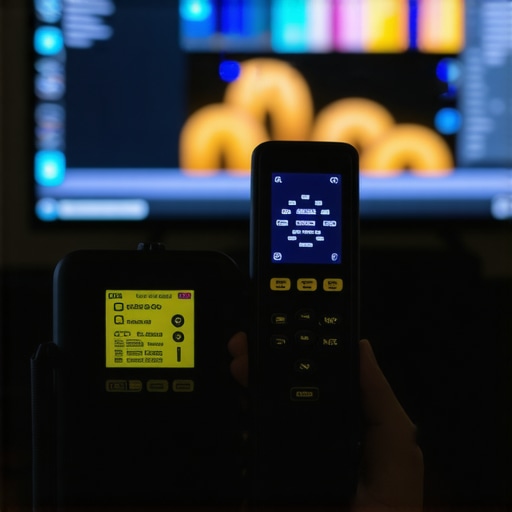
Through trial, error, and a lot of testing, I’ve come to rely on tools like the X-Rite i1Display Pro for precise calibration. It’s a game-changer for maintaining accurate contrast and HDR brightness over time. Additionally, software solutions such as DisplayCAL allow me to verify and adjust my settings with detailed test patterns. Combining hardware and software has been instrumental in unlocking my Mini LED TV’s full potential, helping me achieve consistent, professional-grade picture quality.
Taking Action to Elevate Your Viewing Experience
Remember, the journey to perfect contrast and HDR brightness isn’t a one-time event. Regular calibration, staying updated with your TV’s firmware, and understanding scene-specific adjustments will keep your display performing at its best. Don’t hesitate to explore advanced tools and techniques—your cinematic experience depends on it. The future of TV calibration is promising, with smarter, more accessible solutions on the horizon, so investing in the right tools now will set you up for years of stunning visuals. Ready to transform your home entertainment? Dive into the detailed guides and start experimenting today, and share your successes or questions in the comments—your insight can inspire others on their calibration journey.





Leave a Reply