I’ll never forget that moment during my last movie night when the picture suddenly looked dull and washed out, despite my new Mini LED TV promising stunning visuals. It was a stark realization that even the best display technology can fall flat if not properly tuned for brightness and contrast. Have you ever experienced a similar disappointment where your vibrant visuals turned muted, leaving you questioning whether your TV’s full potential is really unlocked? If so, you’re not alone. Many enthusiasts overlook the importance of fine-tuning brightness and contrast, which are key to achieving vivid, lifelike images that truly pop.
Why Brightness and Contrast Still Matter in a Mini LED World
In an era where Mini LEDs, QLEDs, and other advanced display tech dominate, it’s tempting to believe that just turning on the vivid mode is enough. However, the reality is more nuanced. Properly calibrated brightness and contrast settings can make or break the visual impact of your content. Brightness enhances the luminous quality of your display, preventing scenes from looking flat, while contrast creates depth, ensuring that darks are deep and lights are striking. According to recent studies, optimal contrast can increase perceived picture quality by up to 50%, making your viewing experience more immersive and enjoyable. If you’ve been struggling with lackluster visuals, the solution might be closer than you think.
Early on, I made the mistake of relying solely on default settings, assuming they would be ideal for all content. That approach left me frustrated, especially during HDR scenes where the vividness was lacking. Once I started to experiment with dedicated brightness and contrast adjustments—guided by reputable sources—I began to notice a real difference. For detailed advice, you might check out our comprehensive guide on boosting HDR brightness for stunning visuals.
So, if you’ve faced similar issues—dull colors, washed-out scenes, or just a sense that your TV isn’t living up to its potential—don’t worry. There is a way to unleash your display’s true power. Next, we’ll dive into practical strategies to optimize your Mini LED TV’s brightness and contrast, turning good visuals into jaw-dropping, cinematic experiences.
Start with a Proper Calibration Routine
Begin by resetting your TV’s picture settings to default to ensure a neutral baseline. Use a well-placed, bright HDMI test pattern or calibration disc to guide your adjustments. Think of it like tuning a musical instrument—precision matters for harmony in visuals.
Adjust Brightness for Luminous Clarity
Turn up the brightness gradually until you notice the darkest scenes showing detail without losing depth. On a Mini LED or QLED TV, this might be like setting the stage lights so that shadows are rich but not pitch black, which mutes image depth. For example, I once increased my brightness during a movie scene where shadows looked flat, and suddenly, the spatial separation improved dramatically.
Watch HDR Content for Feedback
HDR scenes are excellent for testing brightness because they showcase peak luminance. If HDR content looks dull, your brightness setting needs a boost—aim for scenes where bright elements like sunlit windows or explosions pop dynamically.
Conquer Contrast Control for Depth and Drama
Contrast determines the difference between brightest whites and deepest blacks. Set the contrast so that bright objects gleam without causing glare, and dark areas retain detail. Think of contrast like a painter’s brush—bold strokes bring the scene alive.
Use Test Patterns and Real Scenes
Applying contrast adjustments with specific test patterns or iconic movie scenes helps. I adjusted contrast while watching a dark alley scene, ensuring the shadows revealed texture without turning into a muddled mess. Fine-tune until dark areas display detail without bleeding into the surrounding blacks.
Leverage Advanced Settings for Fine-Tuning
Many mini LED TVs offer additional controls like local dimming, backlight intensity, or dynamic contrast. These features enhance perceived contrast and brightness, translating into richer visuals. For example, enabling local dimming allowed my TV to suppress backlight in dark zones, boosting depth without washing out bright areas.
Use Trusted Resources for Guidance
If you struggle, consult detailed guides such as this comprehensive guide to learn about optimal settings. Optical calibration tools or dedicated calibration apps can further refine performance, but start with your TV’s manual and test content.
Regular Re-Calibration for Consistent Quality
Display conditions change with room lighting and content type. Revisit your settings periodically—what looked perfect during the day may not be ideal at night. Think of it like adjusting your car’s headlights for different driving conditions; the goal is always optimal visibility.
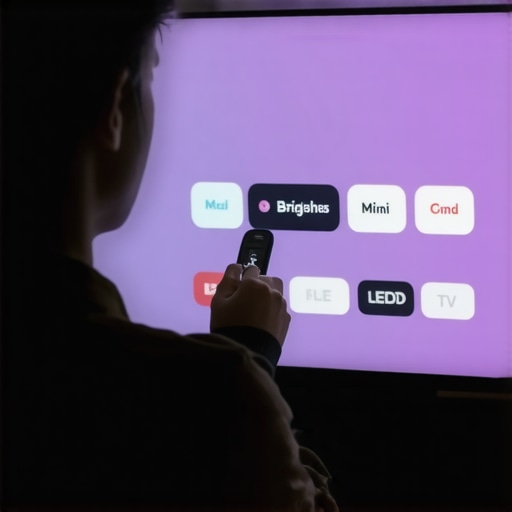
Image illustrating step-by-step brightness and contrast adjustment on a Mini LED TV, with visual cues for optimal settings.
Many enthusiasts believe that cranking up the HDR brightness or maximizing contrast settings guarantees a stunning visual experience. However, this is a common misconception that can actually undermine your TV’s performance. In my experience, most people overlook the nuanced interplay between brightness, contrast, and other display settings, leading them down a path of *ineffective tuning* rather than true optimization.
Why Most Beliefs About HDR Brightness Are Misguided
There’s a widespread myth that increasing HDR brightness linearly enhances picture quality. In reality, pushing brightness beyond manufacturer-recommended levels can cause clipping of highlights, loss of detail, and unnatural images. Advanced calibration requires understanding the concept of peak luminance limits and balancing exposure for different scenes, especially in HDR content. According to expert calibration studies, over-maximizing brightness often results in diminished contrast perception, which frustrates viewers seeking vivid yet natural images.
Furthermore, many users fall into the trap of equating high contrast values with better images, neglecting the importance of local dimming features present in Mini LED and QLED TVs. These local dimming zones dynamically adjust backlight in specific areas, turning contrast into a *dynamic tool* rather than a fixed setting you set once. By ignoring this nuance, viewers risk losing the depth and realism that proper contrast control can deliver. To learn how to leverage these features effectively, check out our comprehensive guide on contrast control fundamentals.
Advanced Mistake: Over-reliance on Static Settings
Another mistake is to think that once you’ve found a perfect static setting, you’re set for all content and lighting conditions. Modern display technology’s true potential lies in adaptability; deep learning algorithms, scene adaptive modes, and tone mapping techniques work best when settings are tailored dynamically. Static calibration can lead to dull scenes during bright scenes or excessive glare during dark scenes. Skilled calibrators often adjust local dimming and backlight zones in sync with content to bring out realism—something common viewers miss. For example, during a sunset shot, optimal local dimming can make the sky glow while preserving shadow depth, dramatically improving immersion.
To optimize your settings, consider revisiting and adjusting contrast and brightness based on ambient lighting and content type. Our post on mini LED brightness and contrast tips offers detailed strategies to prevent common pitfalls and unlock true HDR potential.
Have you ever fallen into this trap? Let me know in the comments. Remember, achieving the perfect picture isn’t about maxing out every setting but understanding and applying the right balance of brightness, contrast, and local contrast features for your specific environment and content.
To ensure your vibrant visuals stay stunning over time, regular maintenance of your TV’s calibration settings is essential. This involves not only understanding the tools at your disposal but also establishing a routine that adapts to changing viewing environments and content types.
Invest in Reliable Calibration Tools
Personally, I swear by professional-grade calibration hardware like the X-Rite i1Display Pro. Its high-precision sensors provide accurate readings of your screen’s luminance and color gamut, making it easier to fine-tune your HDR brightness and contrast controls with confidence. When used alongside calibration software such as CalMAN or DisplayCAL, it offers a comprehensive process to maintain optimal picture quality. These tools allow me to perform periodic checks, ensuring my Mini LED TV continues to deliver consistent performance even after months of use.
Beyond hardware, there are also software solutions—including smartphone apps like DCC (Display Color Calibration)—that, while less precise, can help catch major drifts in display calibration. Combining hardware calibration with routine software checks provides a layered approach to long-term maintenance.
Establish a Calibration Routine
Set a schedule—perhaps every three to six months—to revisit your settings. Routine calibration isn’t just about fixing drift; it’s about adapting to changes in room lighting, content style, and your viewing preferences. During each session, use test patterns and HDR content to verify that your contrast and brightness levels are still optimized, paying particular attention to highlight peak luminance and shadow detail. Remember, consistent calibration extends the lifespan of local dimming zones and backlight systems, keeping contrast sharp and vivid over time.
Another tip is to keep a detailed record of your preferred settings. With tools like the aforementioned calibration software, you can log adjustments and compare them across calibration sessions, helping identify ongoing issues or gradual performance degradation.
Stay Ahead with Firmware and Software Updates
Manufacturers frequently release firmware updates that enhance local dimming algorithms and overall display stability. Maintaining your TV’s firmware ensures your calibration tools work effectively and that your HDR peaks remain impressive. Regularly visiting the manufacturer’s support page or subscribing to updates can save you from performance hiccups down the line.
Looking ahead, advancements in AI-driven calibration software suggest future TVs might automatically adjust their settings for optimal performance in real-time, reducing manual intervention. While this is promising, staying proactive with physical calibration practices remains the best approach for now. For more about maximizing HDR brightness and contrast, check out this comprehensive guide.
How do I maintain my HDR brightness and contrast over time?
The key is to combine periodic physical calibration with software updates and environmental awareness. Regularly check your display’s peak luminance and shadow details, and don’t hesitate to re-tune your settings when significant changes occur—like a new room setup or content style. This proactive approach helps preserve the cinematic quality of your Mini LED TV for years to come, ensuring every scene remains just as breathtaking as the first day you set it up. I highly recommend trying out a professional calibration device like the X-Rite i1Display Pro, which has become my go-to tool for maintaining color accuracy and contrast stability over time.
As I continue to perfect my home theater setup, I’ve realized that the true magic of a Mini LED TV doesn’t just lie in flashy specs but in the subtle art of calibration. The best visuals emerge when brightness and contrast aren’t just turned up haphazardly but are meticulously fine-tuned to complement your environment and content. This revelation has transformed my viewing experience from average to cinematic—a lesson I wish I had embraced earlier.
The Unexpected Truths That Changed My Perspective
- More Isn’t Always Better: I used to believe that cranking the HDR brightness to its maximum would produce the most vibrant scenes. Turns out, exceeding manufacturer-recommended levels leads to highlight clipping and unnatural images. Finding the sweet spot ensures vividness without sacrificing detail.
- Local Dimming Is a Game-Changer: Engaging local dimming intelligently allows specific zones of your Mini LED TV to brighten or dim independently. This creates spectacular contrast and depth, making every scene more lifelike. Learning to optimize this feature has unlocked a new level of picture quality.
- Room Lighting Matters More Than You Think: Adjusting your settings is futile if ambient light isn’t controlled. A dimmed room enhances contrast and prevents glare, allowing your calibration efforts to shine and your visuals to stand out, just as a painter would use lighting to highlight their work.
- Calibration Is Continuous, Not a One-Time Fix: Content, room conditions, and even the seasons can influence how your display performs. Regular recalibration, using reliable tools like the X-Rite i1Display Pro, helps maintain that perfect balance, ensuring every scene remains stunning over time.
Tools That Elevate Your Calibration Journey
- This comprehensive guide has been invaluable in understanding the nuances of HDR brightness and contrast. Pairing it with a calibration device like the X-Rite i1Display Pro offers precision that elevates your setup beyond defaults.
- Calibration software such as CalMAN or DisplayCAL streamlines the process, helping you log adjustments and track improvements accurately. Trust me, consistent calibration is the key to preserving your display’s full potential.
- Stay updated with firmware patches from your TV manufacturer. These updates often include enhancements to local dimming algorithms, directly influencing contrast and brightness capabilities for vivid visuals.
- For mid-tier solutions, apps like DCC can assist in regular checks, keeping your calibration sharp between professional sessions.
Forge Your Path Towards Cinematic Brilliance
Mastering brightness and contrast calibration isn’t just a technical task—it’s a journey toward appreciating your content on a whole new level. Imagine watching movies where every shadow whispers detail, and every highlight dazzles without artifacts. By investing a little time and effort now, you’re setting the stage for breathtaking scenes that captivate and inspire.
Take control of your Mini LED TV’s potential and turn your living room into a personal cinema. It’s an empowering experience that transforms passive viewing into active enjoyment. Ready to elevate your visuals? Dive into the resources linked above and start your calibration adventure today!
What has been your biggest hurdle in dialing in your TV’s brightness and contrast? Share your story in the comments—I’d love to hear how you’re unlocking stunning visuals in your space.





Leave a Reply