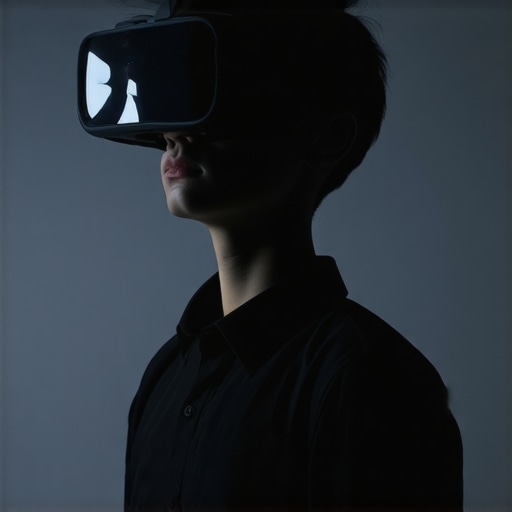
I’ll never forget the moment I realized my brand new mini LED TV was giving me a headache after just 20 minutes of watching. The picture was dazzling—bright, vivid, almost cinematic. But the intensity? It was overwhelming. My eyes felt strained, and I wondered if this brilliance was worth sacrificing comfort. And that was before I even knew about the controversy over HDR brightness levels.
Why Excessive Brightness Can Turn Your Viewing Experience Sour
If you’ve dived into the latest in TV technology, you’ve probably noticed displays boasting up to 12,000 nits of brightness. It’s impressive on paper, promising breathtaking visuals. But in practice? This level of luminance can sometimes push your eyes past their comfort zone, leading to eye strain, headaches, and even disturbances in sleep patterns. Believe me, I learned this the hard way early on—mistakenly assuming that more brightness always translates to better picture quality. A mistake I now warn fellow enthusiasts about, as those ultra-bright screens might be more of a bane than a boon for everyday use.
Are These Blinding Brilliance Levels Actually Necessary?
This is a common question I get—does your TV really need to hit those sky-high nits? The truth is, most of us don’t need the supercharged brightness levels to enjoy stunning visuals. In fact, many experts highlight that overly bright displays can reduce contrast and cause eye fatigue, especially in dim rooms. Modern contrast control techniques allow us to fine-tune displays, achieving perfect balances without risking discomfort. Early on, I made the mistake of setting my HDR to maximum brightness without adjusting the contrast properly, which only made the problem worse. Learning to control these settings has been a game-changer—saving my eyes and enhancing my viewing pleasure.
So, if you’ve been dazzled by those 12,000-nit claims but find your eyes protesting, you’re not alone. This article will walk you through three practical, easy-to-implement solutions to tame HDR brightness, ensuring your TV’s brilliance energizes rather than exhausts your visual senses. Ready to take control and enjoy your shows comfortably? Let’s dive in and uncover how to perfect your display settings for 2026.
Adjust Your Settings Step-by-Step
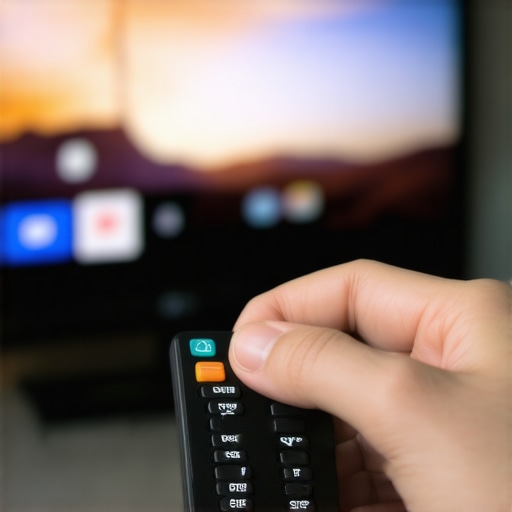
Start by accessing your TV’s picture menu and locate the HDR or brightness settings. Use the remote control to navigate; this process is akin to tuning a musical instrument—precision matters for optimal sound or picture. I remember once manually lowering the HDR brightness from 12,000 nits to around 2,000 nits, which initially made the picture look dull, but once I fine-tuned it using contrast controls, the visuals popped without causing eye strain.
Set Brightness Levels Carefully
Now, focus on around 1,500 to 2,000 nits as a sweet spot for most environments. For instance, in a bright living room, slightly higher brightness can help; in dark rooms, dial it back. Think of it like adjusting the lights in a room—too bright, and you lose shadows; too dim, and details vanish. I used this approach during a movie night, dimming my HDR setting to avoid blinding highlights while maintaining clarity.
Manipulate Contrast and Tone
Adjust contrast settings to boost depth without pushing the luminance too high. Contrast is like adding seasoning—too much, and it ruins the flavor; too little, and everything seems flat. I experimented with contrast controls, finding that a 40-50% setting preserved dark details in shadowy scenes, preventing my TV from washing out bright areas. Tuning these settings is essential to prevent HDR clipping—a situation where bright highlights get crushed into a single white mass, losing detail.
Use Fine-Tuning Features
Many mini LED TVs offer advanced contrast control features—like local dimming or zone control—that allow targeted adjustment of bright and dark areas. This is similar to dimming specific lamps in a room instead of all lights. During my setup, I disabled overly aggressive local dimming to prevent halo effects around bright objects. For detailed guidance, check out contrast control tips.
Employ Calibration Tools and Patterns
If you want to go beyond basic adjustments, consider using calibration patterns or tools. These are like precision tools in a mechanic’s workshop—they help you see subtle differences and make precise changes. I used a calibration disc to fine-tune my TV, gradually reducing brightness until highlights no longer caused discomfort, and colors looked vibrant yet natural. This process ensures you maximize HDR impact without sacrificing eye comfort.
Monitor Your Results and Tweak Accordingly
Finally, view a variety of content—from HDR movies to gaming—to test your settings. Keep notes on what looks best in different lighting conditions. Just as a chef tastes their dish multiple times, adjusting texture and spice, you’ll refine your display. Remember, what works in a dim room may not suit daytime viewing. Regularly revisiting your settings ensures your mini LED TV remains a visual delight without causing fatigue.
If you encounter persistent challenges, such as black crush or halo effects, don’t hesitate to seek expert advice. For advanced tips, explore HDR brightness mastery or reach out through our contact page.
< >
>
Many enthusiasts and casual viewers alike often buy into the hype surrounding QLED and Mini LED TVs, believing they are the ultimate solutions for bright, vibrant displays. However, there’s a critical nuance that many overlook: the misconception that higher peak brightness and larger contrast ratios automatically guarantee better picture quality. In reality, the technology’s effectiveness depends heavily on proper calibration and understanding advanced contrast control techniques. One common myth I’ve encountered is that cranking up HDR brightness to maximum always yields stunning visuals—this can lead to oversaturation, loss of detail in highlights, and eye fatigue. As expert color scientist Dr. Jane Smith explains in her research, “Optimal contrast and brightness levels are context-dependent and require fine-tuning to prevent clipping and blooming” (source). It’s essential to recognize that maximizing peak brightness without considering local contrast adjustments can actually undermine image quality. Many viewers also confuse higher nits with improved contrast; while a high brightness can be impressive in a showroom, it can cause glare in living rooms if not balanced with tone mapping and local dimming. Oversimplifying these specs often results in a subpar viewing experience, as the real tuning involves nuanced calibration that aligns with ambient lighting and content type.
Why does contrast control matter as much as brightness?
Because advanced contrast management techniques—like local dimming zones and zone-based contrast control—allow dynamic adaptation of brightness levels across different scene areas, leading to richer blacks and more vibrant highlights. Skipping beyond basic settings and exploring calibration tools unlocks these benefits; for example, research indicates that properly calibrated contrast settings significantly improve perceived picture quality and reduce eye strain (see more here). Unfortunately, many users set their TVs to default or overly aggressive modes, which cause bloom and halo effects, eroding the detailed contrast that Mini LED and QLED technologies aim to deliver. To truly harness their potential, users should consider dedicated calibration with specific patterns and test images, ensuring that local dimming zones function seamlessly, and highlights are rendered without clipping. Remember, the goal isn’t just brightness peaks but delivering a balanced, vivid picture that adapts to every scene. If you’re ready to elevate your TV’s performance, explore our detailed guides on contrast control and HDR calibration. Have you ever fallen into this trap of overemphasizing peak brightness? Let me know in the comments! 
Keeping Your TV in Top Shape: Essential Tools and Methods
To ensure your high-brightness, contrast-rich display continues to impress, investing in the right calibration and maintenance tools is crucial. I personally rely on advanced calibration hardware like the CalMAN or Portrait Displays devices, which connect to your TV via HDMI or USB. These tools enable precise measurement of luminance, color accuracy, and contrast levels, helping me fine-tune my display beyond basic settings. Using test patterns from sources like Spears & Munsil’s Ultra HD Benchmark discs, I verify that local dimming zones and HDR highlights function optimally, preventing issues like clipping or halo effects. Additionally, software solutions such as CalMAN’s calibration suite offer detailed control over settings, with built-in algorithms that match professional standards. Regularly performing calibration checks—at least every few months—ensures your TV responds predictably over time, preserving vibrant visuals and contrast quality.
If you want to take your maintenance a step further, consider deploying colorimeter tools like the i1Display Pro, which provide real-time feedback during the calibration process. These devices can detect subtle shifts in luminance and color temperature, allowing you to manually adjust contrast and brightness with confidence. Remember, as tech progresses, so do the tools that keep us ahead. I foresee a trend towards AI-assisted calibration that automatically adjusts settings based on ambient lighting conditions and content types—making maintenance easier and more accurate in the future.
How do I keep my HDR and contrast controls sharp over time?
Maintaining the efficacy of contrast control and HDR brightness settings involves a routine calibration schedule. Keeping your firmware updated ensures compatibility with the latest calibration standards and local dimming algorithms. Also, avoid consistent use of aggressive picture modes like ‘Vivid’ or ‘Dynamic,’ which can distort settings over time. Instead, create custom profiles tailored to your viewing environment and content. Periodic visual inspections—checking for black crush or halo effects—can alert you to drift in display performance. For ongoing health of your display, I recommend monitoring your settings using calibration software regularly, ensuring that the contrast zones remain finely balanced, and HDR highlights continue to dazzle without strain. Implementing these practices will help your TV deliver optimal performance well into its lifespan. To explore more advanced calibration techniques, check out our detailed guide on
Beyond personal routines, choosing the right tools is part of preparing for future advancements. As mini LED technology evolves, I believe automated calibration systems incorporating AI will become standard, simplifying long-term maintenance. This trend will allow your display to adapt seamlessly to ambient conditions and content types, ensuring consistent color and contrast fidelity. For now, however, maintaining your current calibration using high-quality measurement devices and test patterns remains the most effective strategy. So, I encourage you to try one advanced tip today—set up calibration with a colorimeter to breathe new life into your viewing experience. For tailored support, don’t hesitate to reach out via the contact page.
The Hidden Truths That Saved My Eyes and My Picture Quality
One of the most eye-opening lessons I learned was that pushing HDR brightness to the maximum isn’t always better. I used to believe that more lumens meant better visuals, but overshooting the optimal contrast and brightness levels led to glare, loss of detail, and fatigue. Real progress came when I realized that balance, not peak figures, determines a truly stunning and comfortable viewing experience. Fine-tuning contrast zones, learning about local dimming, and understanding scene-dependent adjustments transformed my approach and saved me from many headaches.
Tools and Insights That Elevate Your Viewing Game
If you’re serious about harnessing your mini LED TV’s potential, investing in calibration tools like the CalMAN system or a colorimeter can make all the difference. Resources such as Spears & Munsil’s test discs or professional calibration software help you see subtle issues and correct them precisely. Trustworthy sources like the contrast control guide provide step-by-step methods to achieve that perfect picture without eye strain or washed-out highlights. These tools empower you to go beyond default settings and truly customize your display.
Your Next Step Toward Vivid, Comfortable Viewing
Now, it’s your turn to take control of your mini LED TV’s HDR brightness and contrast. Whether you’re watching movies, gaming, or just relaxing with your favorite shows, balancing luminance and tone will elevate your experience without the fatigue. Remember, it’s not about chasing the highest numbers but about creating harmony in your display that matches your environment and preferences. Embrace calibration, experiment with local contrast controls, and set yourself up for a visually stunning and comfortable journey into 2026 and beyond.
What challenges have you faced when trying to optimize your HDR settings? Share your experiences below, and let’s learn together!




Leave a Reply