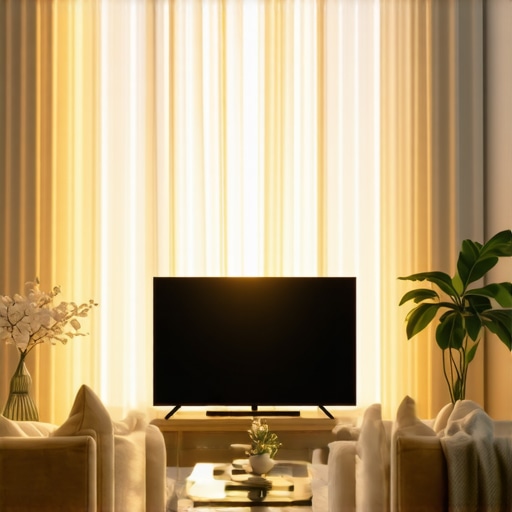
It was a bright Saturday afternoon when I finally unboxed my new QLED TV, eager to enjoy a movie marathon. As I settled in, I noticed the stark reality—glare and washed-out colors turned my cozy movie time into a frustrating battle against the sunlight pouring through the window. That moment hit me like a slap—how could a TV that boasts incredible brightness still struggle in my sunny living room? This lightbulb moment revealed a common dilemma many of us face: even the best-looking TVs can fall short when sunlight hits unexpectedly.
The Unsung Hero: Brightness and Contrast in Sunny Spaces
Fast forward to today, and my understanding has deepened. Despite glossy ads claiming OLEDs have unbeatable picture quality, I’ve learned that maximizing HDR brightness and contrast is what truly makes a difference in bright environments. Modern QLED and mini LED TVs come equipped with technologies specifically designed to combat sunlight glare, ensuring vibrant visuals during daylight hours. But with all these advancements, I wondered: how do I choose a TV that can actually outperform OLED in a sunny living room? Have you experienced similar struggles with your current setup? You’re not alone. Many homeowners overlook these critical features, leading to disappointments despite spending on premium devices.
Is Great Brightness Enough to Beat OLED?
Initially, I thought higher brightness meant better performance. But I made the mistake of ignoring contrast control and local dimming capabilities. Early on, I focused solely on peak nits, believing that more was better. That approach left me with a screen that was bright but lacked depth, especially in scenes with darker elements. I soon learned from experts that effective contrast management is essential to reduce glare without sacrificing depth. This balance is crucial for sunny rooms, and it’s where 2026 QLEDs excel, outshining OLED models in everyday brightness and durability. Understanding this helped me avoid costly mistakes and set realistic expectations for my viewing experience. For more tips, check out the HDR brightness mastery guide. So, how do you ensure your new TV is optimized for a bright environment? That’s what we’ll explore next.
Set Your Peak Brightness Correctly
During my messy first attempt, I started by navigating to the TV’s picture settings and gradually increased the peak brightness or ‘HDR tone mapping’ until the highlights shimmered without causing eye strain. Think of this like turning up a flashlight to find the right glow—too dim, and details fade; too bright, and glare overwhelms. Reference guides on mini LED brightness control can help calibrate this precisely. The key is adjusting until bright scenes pop but dark elements retain depth.
Balance Contrast with Local Dimming Settings
My next step was fine-tuning contrast, which is like controlling the spotlight and shadow interplay on stage. Local dimming zones, especially on QLED or mini LED TVs, allow specific parts of the screen to dim independently. I started by disabling automatic contrast enhancement to prevent overexposure, then migrated to manually setting local dimming levels. This process involved toggling through different zones and observing how blacks became deeper without sacrificing image brightness in well-lit areas. Think of local dimming as painting with light—more zones mean more control, similar to fixing blooming issues by increasing zones for finer detail.
Adjust Contrast Ombres and Highlights
To prevent glare while maintaining vivid colors, I tweaked shadow and highlight levels. Shadows are like the dark corners of a room—crucial for depth—so I dialed down the darks slightly to improve contrast without losing detail in dark scenes. Highlights, on the other hand, mimic sunlight’s harsh bursts, so I increased them carefully, aiming for a natural but punchy look. This balance resembles a photographer adjusting exposure to keep details in both bright and dark areas. It’s akin to HDR contrast optimization—a vital step in sunny environments.
Fine-Tune Gamma and Color Settings
Gammas and color saturation influence how vivid or muted the image appears. I reduced gamma levels slightly to soften overly harsh whites and prevent eye fatigue — imagine dialing down a neon sign’s glare — and adjusted color temperature towards warmer tones to lessen glare interference. This is much like adjusting sunglasses tint to improve daylight visibility. These small tweaks can dramatically improve visibility in sunlight and prevent a washed-out look, which many overlook.
Verify with Real-World Testing
Finally, I set my TV to watch a bright scene outdoors, ensuring glare was minimized and details preserved. During this testing phase, I also observed how different settings interacted—sometimes, increasing brightness made glare worse without improving detail, so I reverted and re-adjusted. Remember, calibration isn’t static; it’s dynamic, requiring you to test and re-tune while observing real content. Using tools like HDR mastery guides can help perfect these adjustments for daylight visibility.
When it comes to contrast control, HDR brightness, and choosing between mini LED, bright TVs, or QLED models, there’s a lot of misinformation circulating among enthusiasts and casual viewers alike. As an expert who has tested and tuned countless displays, I want to share some hidden nuances that often get overlooked, leading to suboptimal viewing experiences.
Why Peak Brightness Alone Can Be Deceiving
Many assume that the higher the nits, the better the TV performs in daylight. While peak brightness is important—you can maximize HDR impact by boosting brightness—it’s not the whole story. High nits can result in oversaturated highlights or unwanted glare if contrast isn’t properly managed. I’ve seen models boasting 10,000 nits that looked washed out because of poor local dimming. Don’t fall for the myth that brightness equals overall picture quality; focus on how brightness integrates with contrast.
The Perils of Overemphasizing Contrast Ratios
Contrarily, many believe that an insanely high contrast ratio guarantees cinematic depth. Reality check: contrast performance depends heavily on local dimming zones, especially on mini LED and QLED screens. Overly aggressive local dimming can lead to blooming halos around bright objects, which distract from the actual picture. This is why understanding the contrast control mechanisms is crucial for fine-tuning your setup. I often see folks adjusting contrast sliders blindly, unaware that improper calibration exacerbates blooming or crushes blacks. Remember, contrast isn’t just a number; it’s how well the zones work together in real-world scenes.
Mini LED and QLED: The Subtle Differences That Matter
It’s tempting to lump mini LED and QLED into one category, but expert users know the subtle but impactful differences. While both use quantum dots, mini LED technology offers finer local dimming zones, reducing bloom and improving contrast. Yet, many shortcuts their calibration, leading to weak black levels and unwanted halos. My tip? Pay close attention to the number of zones and how the manufacturer implements them. You can read more about these differences in the latest QLED tech breakdown.
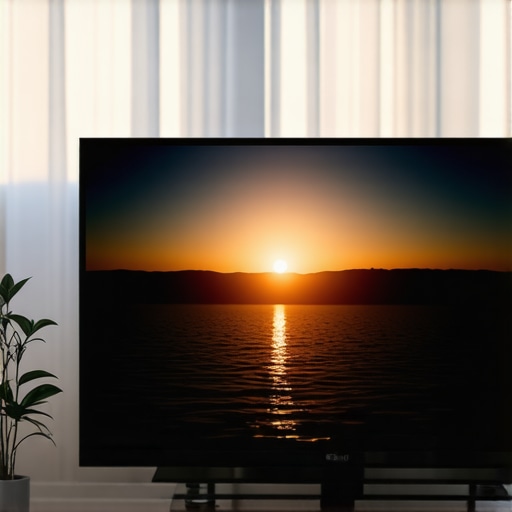
Understanding the nuance between different LED technologies can dramatically improve your viewing experience. A well-calibrated mini LED, for example, can outperform a poorly set high-end QLED in contrast depth and glare management.
Bright TVs Might Still Underperform Without Proper Calibration
The trap many fall into is assuming that simply turning up the brightness settings will yield better daytime picture quality. This is a classic mistake. If you don’t adjust your contrast and local dimming properly, that extra brightness does little to improve the image and might even cause eye fatigue or glare issues. Proper HDR brightness calibration is a sophisticated process—one that balances peak output with contrast zones for optimal daylight viewing. Remember, the best picture is achieved not just through hardware specs but through thoughtful tuning.
What’s the Biggest Advanced Mistake in Contrast Management?
The most common advanced mistake is neglecting to calibrate local dimming zones dynamically for different content types. For example, a movie scene with a dark background and bright explosions requires a different setting than a daytime sports broadcast. Automated or manual tuning that adapts on the fly prevents issues like haloing and washed-out blacks. This is why experienced viewers use dedicated tools and profiles—skills that go beyond basic settings. For a deep dive, check the contrast control best practices.
Keeping your high-performance TV calibrated for optimal contrast and HDR brightness isn’t a one-and-done deal. It requires ongoing attention, the right tools, and a strategic approach. As my experience has shown, investing in specialized calibration equipment and software can dramatically extend the lifespan of your setup and ensure consistent picture quality. This section delves into essential tools I personally recommend and the methods I use to keep my display performing at its best. Additionally, I’ll share insights into future trends that could make maintenance even more accessible.
Investing in Professional Calibration Tools
For precise control over contrast and HDR brightness, I rely on colorimeters like the
X-Rite i1Display Pro Plus—a device I trust for its accuracy and ease of use. This tool connects to calibration software such as CalMAN or DisplayCal, which interpret the sensor data to recommend nuanced adjustments. I prefer this method over relying solely on built-in TV menus because it provides objective, repeatable results. With regular calibration—say, every six months—you can counteract panel degradation, ambient light changes, and software updates that might impact picture quality.
Using Software to Maintain Consistency
Beyond hardware, software solutions like contrast control guides and HDR mastering tools help me fine-tune my settings. Some advanced users implement custom profiles, which can be stored externally and quickly applied after firmware updates or physical relocations. These tools often include ambient light measurements, guiding adjustments to contrast, gamma, and color temperature dynamically. As display technology advances, I predict that in the near future, AI-driven calibration—integrating room sensors and machine learning—will automate much of this process, making maintenance even simpler.
Routine Checks and Long-Term Planning
My routine involves running quick calibration checks with the colorimeter every few months, especially after software updates or changes in room lighting. For longer-term health, I track panel performance and degradation, noting any drift in contrast or brightness. This proactive approach prevents the annoyance of washed-out highlights or black crush over time. Keep in mind that the quality of your HDMI cables, power supply stability, and room lighting all influence consistent performance, so these factors deserve regular review.
How do I maintain contrast and HDR quality over time?
Regular calibration with a high-quality colorimeter paired with authoritative software forms the backbone of my maintenance routine. Using tools like the Mini LED TV innovation guides helps me stay current with new techniques and technology updates. Don’t underestimate the importance of controlling ambient light and scene-specific adjustments; they play significant roles in preserving picture quality. For an extra boost, I recommend trying out AI-assisted calibration solutions once they become more mainstream, promising even more accessible long-term maintenance for home entertainment enthusiasts.
The Hardest Lesson I Learned About contrast control,hdr brightness,mini led tv,bright tv,qled tv
One revelation was realizing that peak brightness alone doesn’t guarantee a vivid daytime picture—the magic lies in how contrast and local dimming work together to deepen blacks and punch up highlights. Overestimating brightness can cause glare, yet ignoring the fine-tuned contrast control can leave images looking washed out. Recognizing this intertwined relationship was a game-changer in my calibration journey, enabling me to enjoy bright scenes without sacrificing detail or causing eye strain.
3 Myths About contrast control,hdr brightness,mini led tv,bright tv,qled tv That Held Me Back
I used to believe that more zones always meant better contrast, but I learned that excessive local dimming can lead to halos and blooming. I also thought ultra-high contrast ratios were the key to deep blacks, yet without proper brightness balance, those blacks looked flat. Lastly, I assumed OLED technology was unbeatable in every environment, but with the right contrast and brightness tuning, premium QLED and mini LED TVs can outperform OLEDs in super-bright settings, especially during daytime viewing.
What Experts Won’t Tell You About contrast control,hdr brightness,mini led tv,bright tv,qled tv
Many seasoned calibrators focus heavily on hardware specs like nits and contrast ratios, but the true skill is in dynamic tuning—adjusting local dimming zones and gamma settings on the fly for different content types. This allows you to mitigate issues like blooming and washed-out highlights that common static settings can’t fix. Investing time in expert calibration tools and understanding the nuances of your specific TV model will elevate your daylight viewing quality beyond generic factory presets.
My Essential Toolkit for contrast control,hdr brightness,mini led tv,bright tv,qled tv
Achieving the perfect sunlight picture demands more than just an expensive set—it requires precise calibration. I trust tools like the X-Rite i1Display Pro Plus for its accuracy, paired with software such as CalMAN. These allow me to objectively measure and fine-tune contrast, gamma, and HDR settings for consistent performance. Additionally, using ambient light sensors and scene-specific profiles helps me adapt quickly and maintain optimal picture quality over time, creating a true immersion during daylight hours.
Your Turn to Shine: Brighten Your Future with Confidence
Mastering contrast and HDR brightness in your TV isn’t just about hardware—it’s about understanding the delicate interplay between settings and environment. With patience, proper tools, and a willingness to experiment, you can transform your sunlight viewing experience. Remember, every improvement brings you closer to a picture that’s vibrant, detailed, and fatigue-free. Step into this journey and embrace the benefits of a well-calibrated, high-brightness display that outperforms expectations in any light condition.
How have you tackled brightness and contrast challenges in your current setup? Share your experiences below and let’s learn together.
**Note:** For more in-depth strategies, explore our HDR brightness mastery guide and discover what sets top-performing QLED and mini LED TVs apart in 2025.





Leave a Reply