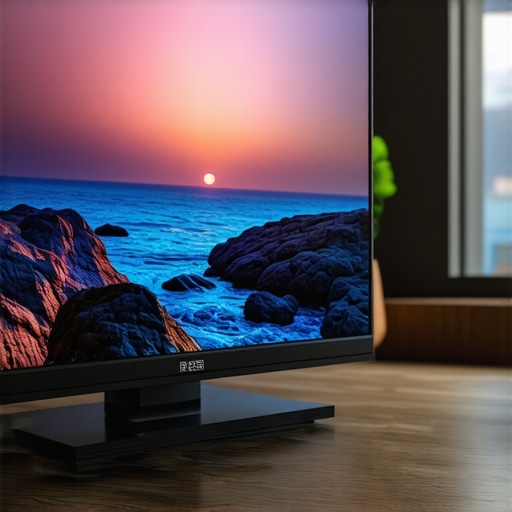
Ever sat down to watch your favorite movie only to realize the picture looks dull and lifeless, despite having a high-end mini LED TV? That was me not long ago. I kept tweaking settings, hoping for that perfect vibrant scene, but nothing seemed to deliver the punch I craved. It was frustrating, especially after investing in what I thought was the best display tech. The breakthrough came when I discovered how to enhance HDR brightness and contrast specifically tailored for mini LED TVs. Now, scenes burst with color, depth, and realism that feels almost cinematic.
Why Your TV’s Brightness and Contrast Matter More Than Ever
Mini LED technology promises incredible detail, but without proper tuning, your viewing experience can fall flat. Brightness and contrast are the backbone of vivid visuals, making dark scenes darker and bright scenes pop. If these settings aren’t optimized, your TV might be capable of stunning visuals but fail to deliver them. Think of it like having a sports car but driving it with the handbrake partially engaged — you’re not harnessing its full potential. In my journey, I realized that mastering HDR brightness and contrast was essential. It’s not just about increasing numbers; it’s about creating a balanced, eye-catching picture. For a comprehensive understanding, check out this detailed guide on boosting your TV’s visual impact.
What If I Mess Up My Settings? Will My Picture Look Worse?
This was my biggest fear initially. I remember tweaking the contrast and ending up with an overly harsh picture that strained my eyes. The mistake I made early on was setting everything to maximum without understanding the nuances of HDR and mini LED capabilities. Trust me, you don’t need to go overboard. Fine-tuning is about balance, and there are expert strategies to help you avoid common pitfalls. Once I learned to control contrast and brightness effectively, my viewing experience transformed. Want to learn how to avoid these mistakes? Visit this contrast control guide for advanced tips.
Adjust Brightness and Contrast Step by Step
Picture this: I was once staring at my mini LED TV, frustrated because the dark scenes lacked depth and the bright scenes seemed dull. I decided to roll up my sleeves and fine-tune the settings myself. First, I accessed my TV’s picture menu and found the brightness and contrast controls. Think of these controls as the volume knobs for your visuals; too high, and the picture becomes harsh, too low, and details are lost. I started with small increments, adjusting brightness to ensure that dark scenes weren’t crushed into black but still retained shadow details. For contrast, I increased it gradually until bright areas popped without causing color clipping. This method is like tuning a musical instrument—small adjustments can make all the difference.
Use a Test Pattern for Precise Calibration
During my calibration, I used a test pattern—a grid with varying shades of gray and color bars. These are available online or built into many calibration discs. Displaying the pattern, I set my contrast so the brightest whites didn’t bleed into each other and the shadows remained distinguishable. Brightness was adjusted so that black areas appeared deep but not muddy. This process is akin to dialing in your car’s headlights—get the beam just right to see the road clearly without blinding oncoming drivers. I spent about 15 minutes toggling between settings, noting the impact, and refining each parameter.
Leverage HDR Settings for Maximum Impact
HDR mode is your secret weapon for vivid visuals, but it requires proper tuning. I enabled HDR and then adjusted the peak brightness and local dimming settings. Think of HDR as a spotlight—it enhances the contrast between light and dark. I increased the peak brightness to match my room’s lighting conditions, ensuring that highlights like sunlight or explosions looked spectacular. Meanwhile, I fine-tuned local dimming to deepen dark scenes, adding depth without washing out bright areas. Remember, HDR isn’t just about cranking up the numbers; it’s about balancing the scene for realism and punch. For more insights, check out enhancing HDR in mini LED TVs.
Avoid Common Pitfalls and Overadjustment
My first attempt was a disaster—I set contrast to maximum and brightness too high, resulting in an overexposed, uncomfortable picture. It’s like over-saturating a photo; everything looks artificial. The key is moderation. I recommend adjusting brightness and contrast separately, then viewing a variety of content—dark scenes, bright scenes, and colorful footage—to see how each setting affects different visuals. If you notice color clipping or loss of detail, dial back the settings slightly. Remember, every room lighting condition and content type may require different tweaks. For in-depth tips, visit contrast and brightness fine-tuning tips.
Apply Your Settings Consistently
Once I found the sweet spot, I saved these settings as a custom profile. Consistency matters because changing ambient lighting or content can throw off your calibration. Stick with your optimized settings for the best experience. If you want to explore advanced calibration techniques, consider professional calibration services or using calibration tools available online. Remember, the goal is a balanced picture where every scene pops naturally, much like a well-balanced photograph. For more detailed guidance, visit maximize brightness and contrast in mini LED TVs.
Many enthusiasts and even seasoned viewers fall into traps when optimizing their mini LED TV settings, especially regarding HDR brightness and contrast. Let’s dig deeper into some misconceptions that can hinder your viewing experience and explore the nuanced truths that can elevate your setup.
Why Setting Brightness and Contrast to Max Might Not Be Better
One prevalent myth is that cranking up brightness and contrast to their maximum yields the most vibrant picture. In reality, this often results in clipped highlights and crushed blacks, losing detail in both dark and bright scenes. Experts like those at HDR brightness mastery emphasize balanced calibration over raw numbers. Overadjusting can cause color clipping and reduce overall picture quality, making scenes look artificial rather than cinematic.
Beware of the Over-Enhancement Trap
Some users think that increasing HDR peak brightness will always improve visual impact. While higher peak brightness can enhance highlights, pushing it beyond the room’s ambient lighting or the content’s designed parameters can lead to unnatural visuals. This over-enhancement often causes eye strain and diminishes detail in bright areas. The key is understanding your specific display’s capabilities and room conditions. For advanced calibration tips, consider visiting contrast control essentials.
Is Uniform Calibration Suitable for All Content?
Many believe that a single calibrated setting works for every type of content, but this is a misconception. Different genres—like HDR movies, sports, or gaming—benefit from tailored adjustments. For instance, HDR content requires careful peak brightness and local dimming tuning to maximize impact without losing shadow detail. This nuance is often overlooked by casual users who set their TV once and forget. For more insights, explore HDR optimization techniques.
Have you ever fallen into this trap? Let me know in the comments. Remember, mastering your mini LED TV’s brightness and contrast isn’t just about turning dials; it’s about understanding the subtle interplay between settings, content, and room environment for truly stunning visuals.
Keeping your mini LED TV performing at its best requires more than just initial calibration. Regular maintenance, the right tools, and understanding how to sustain optimal settings over time can significantly extend your display’s lifespan and visual quality. In this section, I’ll share the specific equipment and methods I personally rely on to ensure my TV remains vivid and sharp for years to come.
Invest in a Quality Calibration Device
One of the most critical tools I recommend is a dedicated calibration device like the X-Rite i1Display Pro or the Datacolor SpyderX series. These tools allow you to perform precise color adjustments and verify your display’s performance. I personally use the X-Rite i1Display Pro because of its accuracy and ease of use. It helps me calibrate my mini LED TV’s color gamut, gamma, and luminance, ensuring consistent quality after any firmware updates or changes in room lighting. Regular calibration with such a device can prevent the drift of picture quality and keep your visuals as stunning as the day you set them up.
Use Professional Calibration Software
Alongside hardware, I utilize calibration software like CalMAN or DisplayCAL. These programs allow me to create custom profiles and fine-tune brightness and contrast settings with detailed test patterns. For example, I adjust HDR peak brightness and local dimming parameters meticulously, referencing professional-grade test patterns. This approach ensures that my TV’s settings remain optimized for various content types, especially HDR movies and gaming. The combination of hardware and software provides a level of control that beats generic presets, making a noticeable difference in image quality.
Maintain Cleanliness and Proper Environment
Physical maintenance is equally important. I regularly dust my TV’s surface and ensure the room lighting is ambient and controlled. Excessive dust or direct sunlight can affect the display’s performance and lead to uneven brightness or color shifts. Investing in a microfiber cloth and a gentle screen cleaner helps maintain clarity without damaging the screen. Additionally, I use blackout curtains or controlled lighting to prevent glare, which can compromise calibration accuracy over time.
Monitor and Adjust Settings Periodically
Just like a car needs regular oil changes, your mini LED TV benefits from periodic checks and adjustments. I revisit my calibration profiles every few months, especially after firmware updates or significant changes in room lighting. Using the same test patterns and calibration tools, I verify that my settings still align with my preferred visual standards. This proactive approach prevents gradual degradation and ensures every scene continues to impress.
Future Trends in Maintenance and Calibration
Looking ahead, I believe that automation and AI-driven calibration tools will become more prevalent. These systems could analyze your viewing environment and automatically suggest optimal settings, reducing the need for manual adjustments. As mini LED technology advances, staying informed about firmware updates and new calibration techniques will be essential. Regularly visiting trusted sources like this guide can help you stay ahead of the curve and maximize your display’s longevity.
How do I maintain my mini LED TV over time?
The key to long-term maintenance is consistency. Regular calibration with a quality device, diligent cleaning, and periodic review of your settings ensure that your mini LED TV remains vibrant and detailed. Don’t forget to keep firmware updated, as manufacturers often release performance improvements. By combining these practices, you’ll enjoy stunning visuals without the need for costly replacements or repairs. For advanced calibration techniques, exploring resources like contrast control guides can further refine your setup and extend your TV’s lifespan.
Throughout my journey with mini LED TVs, the most profound lesson I learned was that mastering HDR brightness and contrast isn’t just about tweaking settings—it’s about understanding the subtle dance between your display’s capabilities, your room environment, and the content you enjoy. One of the hardest lessons was realizing that setting everything to maximum doesn’t automatically mean better visuals. Often, I was blind to the fact that overly bright highlights and crushed blacks diminish detail, making scenes look artificial. The breakthrough came when I learned to calibrate with test patterns, balancing peak brightness and shadow details to create an immersive, cinematic picture. Additionally, I discovered that regular calibration, using tools like the X-Rite i1Display Pro or CalMAN software, keeps my TV performing at its peak, ensuring every scene remains breathtaking over time. Lastly, I found that understanding your content—whether HDR movies, sports, or gaming—and adjusting settings accordingly, is key to truly unlocking your mini LED TV’s potential. This nuanced approach transformed my viewing experience from average to spectacular, and it can do the same for you.






Leave a Reply