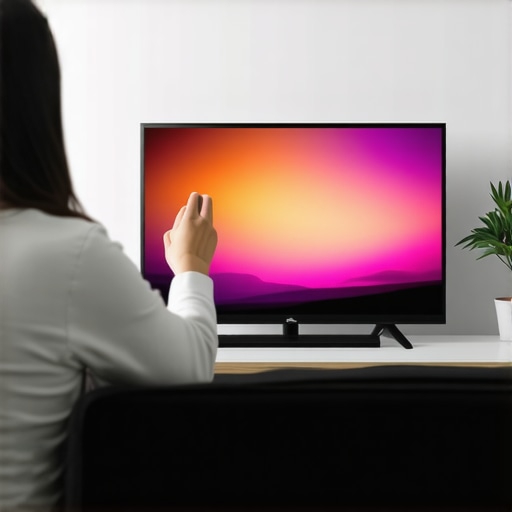
Have you ever settled in for a movie night only to be greeted by washed-out colors or dim scenes that make you squint? I remember the frustration all too well. I was tweaking my new Mini LED TV, excited about the stunning visuals, but no matter what I did, the picture just wouldn’t pop. It was like trying to enjoy a blockbuster through foggy glasses. That lightbulb moment hit me hard: I had to learn how to optimize brightness and contrast settings properly. Since then, I’ve become a bit of a mini LED nerd, diving into every trick and tip to get the perfect picture.
Why Brightness and Contrast Matter More Than Ever in 2024
Today’s Mini LED TVs are marvels of technology, offering incredible detail, vibrant colors, and deep blacks. But without proper calibration, all that potential can go to waste. The right brightness and contrast settings can make movies more immersive, gaming more vivid, and even everyday TV watching more enjoyable. And with the rise of HDR content, these settings become even more critical. A poorly adjusted display can leave you missing out on the brilliance of HDR—those stunning highlights and shadow details that bring scenes to life.
It’s not just about aesthetics. Proper brightness and contrast can reduce eye strain, improve color accuracy, and prolong the lifespan of your display by avoiding overuse of certain settings. Yet, I made a classic mistake early on: I blindly followed generic recommendations without considering my specific model. That led to washed-out scenes or overly dark images. Once I realized that every TV, especially Mini LEDs, requires fine-tuning, everything changed. For expert advice, I recommend checking out this guide for mastering HDR brightness and contrast.
Is All the Hype About Brightness and Contrast Worth It?
It’s a fair question. With so many settings and sometimes confusing terminology, it’s easy to wonder if fiddling with these controls is worth the effort. My answer? Absolutely, if you want your TV to perform at its best. The key is understanding what each setting does and how to tweak it for your viewing environment. Not all content is created equal, and neither are all TVs. Proper calibration can turn a good TV into a great one, especially in 2024, where technology like QLED and Mini LED continues to evolve rapidly.
If you’ve ever felt disappointed after spending a pretty penny on a new TV, you’re not alone. I used to think that the factory settings were enough—until I realized they’re often a one-size-fits-all solution. Now, I know better. Learning how to optimize brightness and contrast is one of the easiest ways to elevate your home entertainment experience. Ready to get started? Let’s dive into practical tips that will help you achieve vivid visuals and stunning picture quality on your Mini LED TV.
Adjust Your Settings Precisely for Vivid Scenes
When I first started tweaking my Mini LED TV, I felt overwhelmed by the multitude of options. Here’s how I approached it: I began by setting my TV to its factory defaults, then used a calibration disc or a professional calibration tool to get a baseline. I found that setting the brightness too high washed out the blacks, while setting it too low made dark scenes indistinguishable. To find the sweet spot, I gradually increased the brightness while viewing a scene with both bright highlights and deep shadows, like a sunset over mountains. This method is similar to tuning a musical instrument — small adjustments make a big difference. For more detailed techniques, check out this guide for mastering HDR brightness and contrast.
Fine-Tune Contrast to Enhance Depth
Contrast controls the difference between the darkest blacks and the brightest whites. On my TV, I adjusted contrast after setting brightness. I looked for a scene with a lot of contrast, like a night cityscape with bright lights and dark alleys. I increased contrast until the bright areas looked vibrant without bleeding into the darker areas. Think of contrast as the seasoning that makes your picture pop — too little and everything looks dull; too much and it becomes unnatural. Remember, every Mini LED model reacts differently, so small, incremental changes are key. For the nuances of contrast tuning, visit this resource for expert tips.
Calibrate HDR Brightness for Dynamic Range
HDR content showcases highlights and shadows more vividly, but only if your settings are right. I recommend starting with the HDR brightness setting, which controls peak luminance. I used a scene with fireworks or sunlight reflecting off water to test. I increased HDR brightness until the highlights looked dazzling without causing clipping or loss of detail. This step is crucial because HDR content relies on accurate luminance levels. To learn more about maximizing HDR impact, explore this detailed guide.
Use Patterned Test Images for Precision
Nothing beats visual feedback. I used test images with grids, gradients, and color patches to see how settings affected quality. Adjusting brightness and contrast while viewing these images reveals the true impact of each tweak. If you notice color banding or loss of detail, revert and try again with smaller adjustments. This hands-on approach turned my TV into a display capable of breathtaking visuals. For an extensive set of test patterns, check out resources like this collection.
Remember the Ambient Light Environment
My room’s lighting drastically affected my calibration. Bright rooms require higher brightness settings to combat ambient light, while darker rooms benefit from lower levels to prevent eye strain. I experimented by adjusting settings at different times of the day, ensuring consistent visual quality. This is similar to adjusting sunglasses depending on sunlight — environment matters. For tailored advice, see this article.
Be Patient and Test Repeatedly
My initial adjustments weren’t perfect; I kept tweaking over a week, testing various content. This iterative process is vital because different scenes and genres benefit from different settings. Don’t rush — small, deliberate changes lead to mastery. Eventually, I achieved a picture that was vibrant, detailed, and easy on the eyes. For more advanced calibration strategies, visit this comprehensive guide.
Many enthusiasts and even seasoned viewers often fall into misconceptions about how to truly optimize their mini LED and QLED TVs, especially when it comes to HDR brightness and contrast control. Let’s dig into some of the most overlooked nuances and common myths that can hinder your viewing experience.
Why Bigger Isn’t Always Better When It Comes to Brightness
Everyone assumes that higher peak brightness automatically means better picture quality. While a high nits value is important, many overlook the importance of how that brightness is distributed across the screen. Uniformity issues, such as clouding or blooming, can diminish the visual impact despite impressive specs. For example, some models advertise high peak brightness but struggle with maintaining consistent luminance in real-world scenes. This is why understanding the local dimming zones and their control, as detailed in mini LED innovations is crucial.
Beware of Over-Adjusting Contrast for Vividness
It’s a common mistake to crank up contrast to the maximum, believing it will make images pop. In reality, excessive contrast can lead to clipped highlights and loss of shadow detail, especially in HDR content. The art isn’t in maxing out the contrast but in fine-tuning it to preserve detail across the luminance range. This subtle adjustment can dramatically improve realism and depth, as explained in contrast control techniques. Remember, contrast isn’t just about brightness difference; it’s about delivering nuanced gradations that mimic real-world lighting.
Are All HDR Settings Created Equal?
Many assume that enabling HDR mode automatically guarantees stunning visuals. However, HDR performance heavily depends on precise calibration, especially in peak luminance and tone mapping. A frequent mistake is leaving HDR settings at factory defaults, which are often conservative. For truly immersive HDR, you need to adjust peak brightness and tone mapping to match your room conditions and content type. This is where detailed calibration guides, such as HDR brightness mastery, become invaluable. Proper calibration ensures highlights sparkle and shadows retain detail, elevating your viewing experience.
What Most People Miss About Panel Uniformity and Light Bleed
Even the most advanced mini LED panels can suffer from light bleed or uneven backlight distribution. Many users focus solely on peak brightness and contrast, forgetting that uniformity affects overall picture quality. Light bleed can cause halos or clouding, undermining black levels and contrast in dark scenes. To mitigate this, consider models with better local dimming and uniformity testing, as discussed in mini LED innovations. Testing your panel with real content and test patterns helps identify these issues early, preventing disappointment.
Have you ever fallen into this trap? Let me know in the comments. Mastering these nuances can significantly elevate your TV experience beyond standard factory settings, making every scene more immersive, vivid, and true to life.
Keeping your Mini LED TV in top shape requires more than just initial calibration. Over time, factors like dust accumulation, changing ambient light conditions, and even the aging of components can affect picture quality. To ensure your display continues to deliver stunning HDR brightness and perfect contrast, regular maintenance with the right tools and methods is essential. I’ll share exactly what I use personally to keep my TV performing at its best and how you can do the same.
Invest in a Quality Calibration Kit
For precise adjustments, I rely on a professional-grade calibration disc like the Disney WOW: World of Wonder or a dedicated colorimeter such as the X-Rite i1Display Pro. These tools allow me to measure luminance, color accuracy, and gamma settings with remarkable accuracy. Unlike generic calibration apps, which can be imprecise, these provide objective data, helping me fine-tune HDR brightness and contrast controls to achieve vivid yet natural visuals. This step is crucial because factory settings are often optimized for general use but may not suit your specific room lighting or content preferences. For a detailed overview on calibration tools, visit this guide.
Use Software for Ongoing Monitoring
Besides hardware tools, I recommend software solutions like CalMAN or DisplayCAL. These programs connect to your colorimeter and help you create custom calibration profiles, ensuring consistent HDR brightness and contrast control over time. I use CalMAN to regularly verify that my TV’s luminance levels stay within optimal ranges, especially after firmware updates or changes in room lighting. This proactive approach prevents gradual degradation of picture quality and catches issues like light bleed or uniformity problems early. For more on this, check this resource.
Maintain Cleanliness and Environmental Control
Dust and fingerprints can diminish contrast and HDR performance. I keep my TV screen clean with a microfiber cloth designed for delicate surfaces and avoid harsh chemicals. Additionally, controlling ambient light is vital—using blackout curtains or bias lighting helps maintain consistent viewing conditions, ensuring your calibration remains accurate. Over time, I also monitor for signs of backlight aging or uneven luminance, which may require professional service or panel replacement. Regular visual inspections and testing with test patterns help me identify issues before they impact my viewing experience.
How do I maintain HDR brightness and contrast over time?
The key is consistent, periodic recalibration using the tools and methods I’ve mentioned. As your Mini LED TV ages or your room environment changes, your optimal settings might shift. Scheduling quarterly or biannual calibration sessions with a colorimeter and calibration software ensures your HDR highlights stay dazzling and shadow details remain sharp. Remember, small adjustments can make a significant difference, so be patient and test after each tweak. Also, stay informed on firmware updates from your manufacturer, as they often include enhancements to local dimming algorithms and contrast control, further optimizing long-term performance. For more advanced techniques, explore this article.
In the future, I believe that integrated smart calibration tools will become standard, making ongoing maintenance even easier. Imagine an AI-driven calibration assistant that automatically adjusts HDR brightness and contrast as your environment or preferences change. Until then, using the right physical tools and software remains your best bet to keep your Mini LED TV performing at its peak. So, I encourage you to try a professional calibration kit or software today—it’s a game-changer for maintaining stunning visuals over time.
Embarking on the journey to perfect your Mini LED TV’s picture quality has been a game changer for me, and I want to share some of the most valuable lessons I’ve learned along the way. These insights can save you time, frustration, and help you unlock the full potential of your display.
What I Wish I Knew About Mini LED Calibration
- Over-brightening isn’t always better: I used to crank up the brightness to make scenes pop, but I realized that too much luminance causes glare and diminishes contrast. Finding that sweet spot improves depth and realism.
- Contrast tuning is an art, not a science: Maxing out contrast feels tempting, but subtle adjustments preserve shadow detail and prevent highlight clipping. Fine-tuning contrast is what makes images truly lifelike.
- Room lighting changes everything: I underestimated the impact of ambient light until I calibrated at different times of day. Bright rooms need higher brightness settings, but a darker room reveals more detail at lower levels.
- Uniformity matters more than peak brightness: Light bleed and clouding can ruin the picture, even with high nits. Testing your panel with test images helps identify issues early and ensures consistent quality.
- Regular recalibration keeps visuals sharp: As my TV aged, I found that periodic calibration with tools like a colorimeter maintained vivid HDR performance and contrast, preventing degradation over time.
My Trusted Arsenal for Perfecting Mini LED Visuals
- Calibrate with professional tools: I use the HDR brightness mastery guide and a colorimeter like the X-Rite i1Display Pro. These give me accurate measurements and help achieve natural, vibrant visuals.
- Leverage calibration software: Programs like CalMAN enable ongoing monitoring and fine adjustments, keeping my settings optimal even after firmware updates.
- Test with real content and test images: I regularly use patterns and scenes with contrast and HDR highlights to ensure my settings truly shine, avoiding common pitfalls like color banding or light bleed.
- Control ambient light: Proper room lighting, including blackout curtains or bias lighting, helps my calibration stay effective and reduces eye strain during long viewing sessions.
The Impact of Proper Settings
Mastering brightness and contrast transformed my viewing experience, making scenes more immersive and details more stunning. It’s empowering to know that a few deliberate tweaks can turn a good TV into a visual masterpiece. If you’re serious about your home theater, investing in calibration tools and dedicating time to fine-tuning is truly worth it. Your eyes—and your screen—will thank you.





Leave a Reply