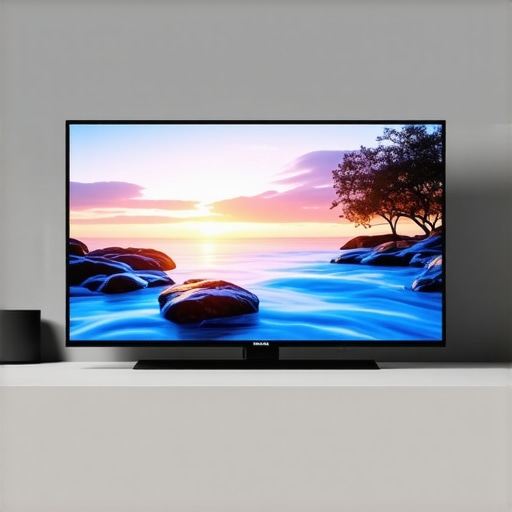
Do you remember the first time you watched your favorite movie on a new QLED or Mini LED TV, only to be disappointed by dull shadows or washed-out highlights? That frustrating moment when your screen promised vibrant colors and deep contrasts but ended up feeling flat and lifeless. I’ve been there, and honestly, it took me quite a bit of trial and error to understand how to unlock the true potential of these incredible displays.
Why Brightness and Contrast Matter More Than Ever
In today’s world of high-definition content, HDR (High Dynamic Range) is the game-changer. It’s what makes scenes pop with realism and depth. But here’s the catch: HDR performance isn’t just about having a high peak brightness. It’s about how well your TV manages brightness and contrast across different scenes. A TV that can deliver stunning HDR isn’t just brighter; it’s smarter in how it balances light and dark areas, creating that cinematic magic we all crave. If you’ve ever cranked up your TV’s brightness in frustration only to see the image wash out in bright scenes, you’re not alone. I learned the hard way that understanding and adjusting HDR brightness and contrast settings can transform your viewing experience from mediocre to breathtaking.
Today, I’ll guide you through the essential tips and tricks to master these settings on your QLED or Mini LED TV. Whether you’re a casual viewer or a cinephile eager for cinema-quality visuals, this guide will help you get the most out of your investment. And trust me, once you see the difference, there’s no going back.
Is All HDR Brightness Created Equal? My Early Mistake
Early on, I made the mistake of thinking that peak brightness alone was the secret to stunning HDR. I set my TV to its maximum brightness setting, expecting everything to look perfect. Instead, I ended up with overexposed highlights and crushed shadows. It was only after consulting some expert guides and realizing the importance of contrast control that I started to see real improvements. This mistake taught me that HDR isn’t just about brightness; it’s about dynamic range and how well your TV can balance light and dark—something I’ll help you achieve today.
For more detailed strategies, check out this comprehensive guide on boosting HDR brightness.
So, if you’ve been frustrated trying to get your TV to look just right, you’re in the right place. Let’s dive into the practical steps to elevate your viewing with perfect brightness and contrast settings!
Adjust Brightness Step by Step
Start by setting your TV to its default picture mode. Then, locate the brightness setting, often labeled as “Backlight” on Mini LED TVs or simply “Brightness” on QLEDs. Begin increasing this setting gradually while watching a dark scene or a black screen. The goal is to reach the point where black levels appear deep and true without losing detail. During my first attempt, I turned up the brightness too high, causing the dark scenes to look washed out, but once I dialed it back slightly, shadows gained depth and richness.
Use a Test Pattern for Precision
For best results, employ a calibration disc or a test pattern available online. These tools help you identify the optimal brightness threshold by displaying gradients from black to grey. Adjust until you see the subtle transition without crushing the deepest blacks. This method is akin to tuning a musical instrument—small adjustments make a big difference.
Set Contrast to Enhance Dynamic Range
Contrast controls how bright the whites are and how well the TV differentiates bright scenes from darker ones. Start with a moderate setting, then increase it slowly. Watch a scene with bright highlights, like sunlight or explosions. You should see whites that are luminous without bleeding into surrounding colors or losing detail. During my trial, I pushed contrast too high and noticed halos around bright objects; dialing it back improved clarity without sacrificing brilliance.
Identify the Sweet Spot with Real Content
Adjust contrast while watching actual movies or shows rather than static images. Your goal is to achieve a lively picture where whites pop but remain natural. Remember, overly high contrast can cause clipping, where bright details are lost. For specific guidance, check out contrast control essentials.
Fine-Tune for HDR Performance
HDR content demands careful balance. Set your HDR brightness to match your environment—bright rooms require higher levels. On many TVs, you’ll find an HDR-specific setting. Adjust this to prevent highlights from blowing out or appearing dull. I recommend starting at the factory preset and then tweaking downward if highlights seem overexposed. For detailed strategies, visit this guide to optimize HDR settings.
Use Dynamic and Game Modes Sparingly
Many TVs have modes that automatically adjust brightness and contrast for different content. While convenient, they often override your calibration. Switch to a standard mode like “Movie” or “Custom,” then manually fine-tune. During my own calibration, I found that dynamic modes boosted brightness too aggressively, washing out details, so I turned them off for more control.
Regularly Reassess and Adjust
Lighting conditions change, and so should your picture settings. Revisit these adjustments periodically, especially if you change rooms or lighting. Small tweaks can keep your picture looking flawless. Remember, every TV is different, and your personal preferences matter. Experiment patiently, and you’ll unlock the full potential of your display.
For more detailed tips, explore mini LED brightness and contrast control tips.
Many enthusiasts and even some experts overlook subtle yet crucial details that can significantly impact your TV’s picture quality. One widespread misconception is that increasing brightness and contrast settings always leads to better HDR performance. In reality, this approach can backfire, causing overexposure, loss of detail, and uneven picture quality. The truth is, mastering these settings requires a nuanced understanding of how your TV processes light and dark areas. For instance, boosting brightness beyond the optimal point can lead to crushed blacks, where shadow details disappear, making scenes look flat instead of immersive. Similarly, setting contrast too high can create halos or blooming around bright objects, detracting from realism. This is why it’s essential to calibrate carefully, using test patterns and real content, to find the sweet spot that balances luminance with detail preservation. For advanced users, exploring the dynamic range and gamma settings further refines this balance, unlocking the true potential of your display. Remember, the goal is not just a brighter picture but a more vivid, accurate one that faithfully reproduces the director’s intent. If you want to dive deeper into these calibration techniques, check out contrast control essentials.
To keep your high-performance Mini LED or QLED TV operating at peak condition, investing in the right tools and following a consistent maintenance routine is essential. Over time, dust, fingerprints, and even firmware updates can impact picture quality and device longevity. I personally rely on specialized calibration equipment and software to ensure my display remains perfectly tuned, even months after initial setup.
Why Proper Calibration Tools Make a Difference
Calibrating your TV with professional-grade tools can seem daunting, but it’s worth the effort. I recommend using a hardware colorimeter like the X-Rite i1Display Pro. This device measures color accuracy and luminance levels with precision, allowing you to fine-tune your display settings for optimal HDR and contrast performance. Pair it with calibration software such as CalMAN or DisplayCAL, which guides you through the process step-by-step. These tools help identify subtle issues like color tint shifts or gamma inaccuracies that can’t be corrected through menus alone.
For example, I used the X-Rite i1Display Pro to calibrate my Mini LED TV, which resulted in a noticeably more vibrant and accurate picture. It’s a small investment that dramatically elevates your viewing experience, especially when watching HDR content where color fidelity is critical.
Routine Maintenance for Long-Term Performance
Beyond calibration, regular maintenance is key. Keep your screen free of dust and fingerprints using a soft microfiber cloth and a gentle, TV-safe cleaner. Avoid harsh chemicals that can damage the screen surface. Periodically check for firmware updates—these often improve picture processing and add new features. Manufacturers like Samsung and LG frequently release updates that optimize HDR performance and contrast control, so staying current ensures you benefit from the latest enhancements.
I also recommend setting a reminder to recalibrate your display every six months, especially if your room lighting changes or you notice a decline in picture quality. This helps maintain accurate color and contrast, preserving your investment over time.
How do I maintain my TV’s calibration over time?
To sustain calibration accuracy, avoid exposing your TV to direct sunlight or placing it near heat sources, which can affect panel performance. Use ambient light sensors if your TV has this feature, enabling automatic adjustments that keep picture quality consistent. Additionally, controlling room lighting to prevent glare and reflections will enhance your viewing experience without requiring constant recalibration.
Looking ahead, the trend toward smarter calibration tools and firmware updates will make ongoing maintenance even easier. Manufacturers are increasingly integrating AI-powered calibration assistance, making it possible to achieve professional-grade picture quality with minimal effort. For now, investing in a quality calibration device and performing routine checks is the best way to keep your display working flawlessly. If you want to explore more about how to optimize HDR brightness and contrast, check out this comprehensive guide.
The Hardest Lesson I Learned About Display Calibration
One of the most eye-opening lessons I experienced was realizing that simply turning up the brightness doesn’t always make your picture better. I used to think that maxing out my HDR brightness settings would give me the most vibrant scenes, but I quickly learned that this often led to overexposed highlights and crushed blacks, losing crucial details. It was a lightbulb moment that taught me the importance of balancing brightness with contrast for true cinematic quality.
3 Myths About HDR Settings That Held Me Back
For a long time, I believed that increasing contrast meant making whites brighter and blacks darker, regardless of the scene. I also thought that factory presets were always optimal, which isn’t true. The biggest misconception was that HDR is just about peak brightness; in reality, it’s about how well your TV manages dynamic range across different scenes. Challenging these myths helped me unlock the real potential of my display and deliver more accurate, vivid visuals.
What Experts Won’t Tell You About Fine-Tuning Your Display
Many calibration experts emphasize test patterns and professional tools, but what they often overlook is the importance of real content in calibration. Watching movies and shows allows you to see how adjustments affect actual scenes, not just static images. Additionally, subtle tweaks like gamma adjustment and local dimming control can dramatically improve contrast and detail, especially in HDR. Learning these behind-the-scenes tips gave me a more nuanced understanding of achieving perfect picture quality.
Curated Resources to Elevate Your Calibration Skills
My Essential Toolkit for HDR and Contrast Calibration includes a device like the X-Rite i1Display Pro, which measures color accuracy with precision. I trust calibration software like CalMAN because it guides me step-by-step through the process, ensuring I don’t miss subtle details. Lastly, the comprehensive guides on HDR brightness mastery and contrast control are invaluable for learning advanced techniques and maintaining peak picture quality over time.
Your Turn to Try Brightness and Contrast Mastery
Now it’s your moment to transform your viewing experience. Whether you’re adjusting your Mini LED or QLED TV, remember that calibration isn’t a one-time task but a continuous journey. With patience, the right tools, and a keen eye for detail, you can achieve stunning visuals that truly do justice to your favorite content. Don’t be afraid to experiment and find what works best in your environment—your perfect picture awaits.




Leave a Reply